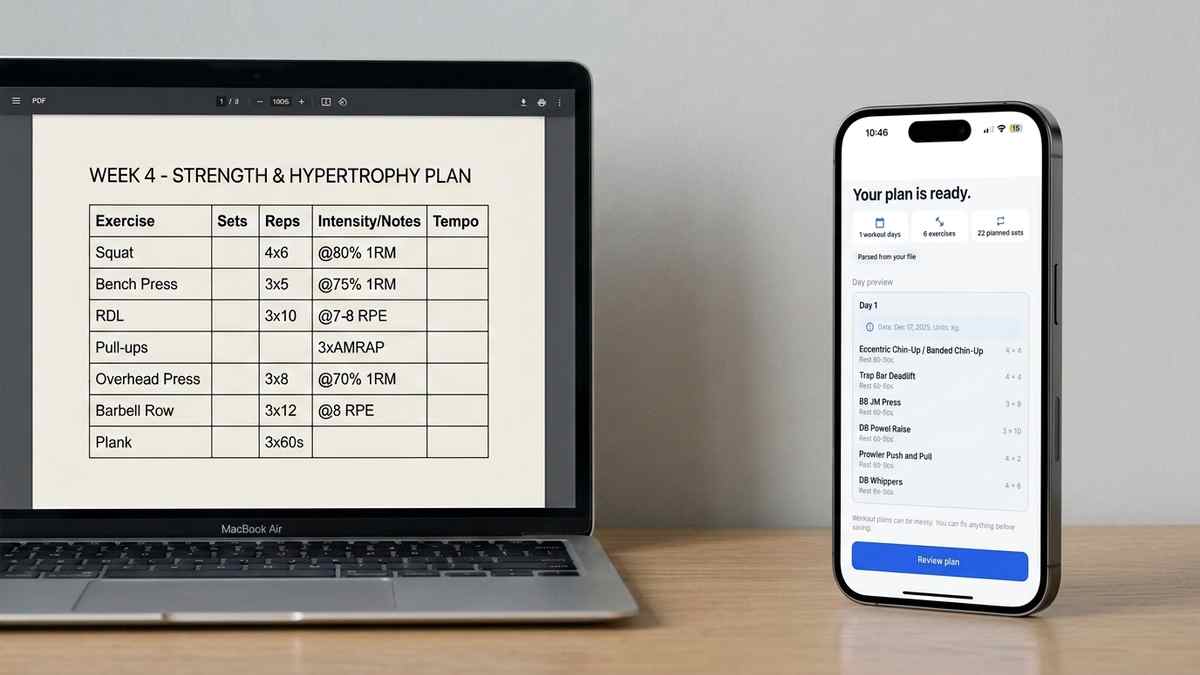
Coach PDF Workout Plan App: How to Track It Without Retyping
Got a coach PDF workout plan? See what an app needs to handle it well, and how Repport turns the file into a loggable session in seconds.
Read moreStep-by-step guide to importing a PDF workout plan into a tracking app, without retyping every set and rep by hand.
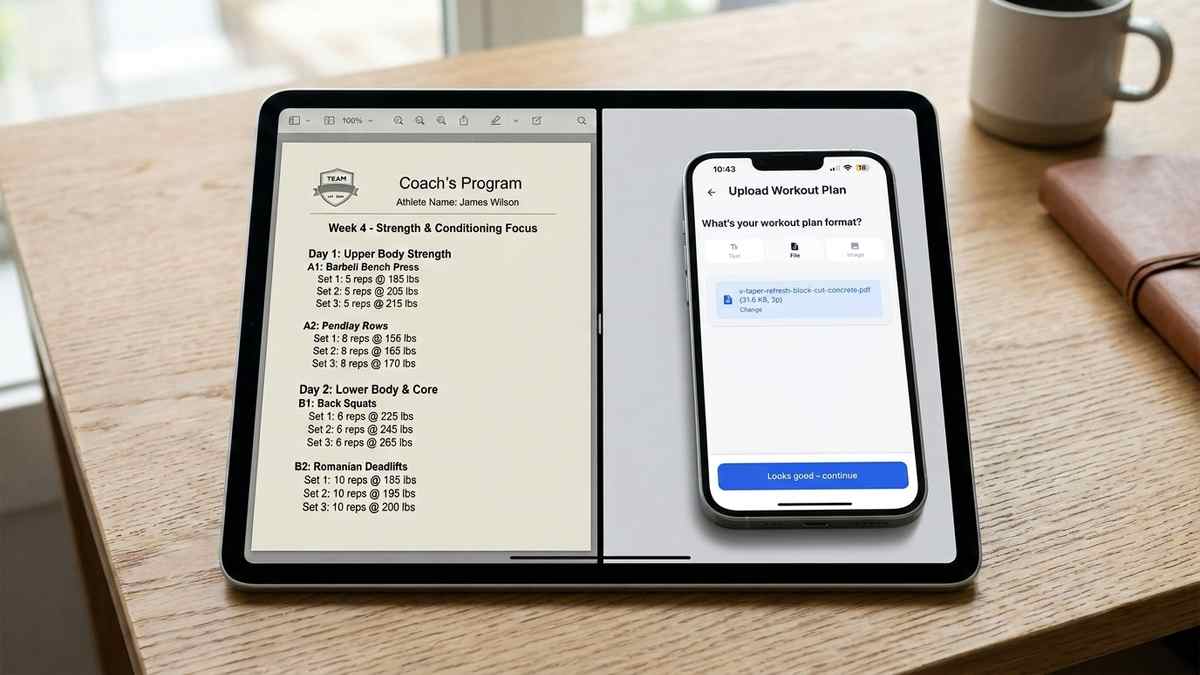
A PDF workout plan is built to be read, not logged against. Your coach exports it from a template, you open it on your phone at the gym, and now you’re scrolling a static page while trying to remember which set you’re on. This guide walks through how to actually get that PDF into an app as a structured, trackable session, not just a file you re-read every workout.
A PDF is a fixed layout, not a database. It has no concept of “this is a set,” “this is a rep target,” or “this exercise belongs to Tuesday.” That structure exists only in your head as you read it. So every workout, you’re manually mapping text on a page to numbers you type into a separate tracking app, or you’re writing on paper instead.
This gets worse with multi-week plans. A 12-week PDF with three sessions per week means re-reading the same document dozens of times, and it’s easy to lose your place mid-set or misread a percentage-based load. The PDF format itself isn’t the problem. The problem is that nothing turns it into something you can tap through set by set.
There’s also the rest-timer problem. A tracking app can start a countdown the moment you finish a set. A PDF just sits there. You end up switching between the document and a separate stopwatch, or guessing at rest periods, which defeats a lot of the point of having a written plan with prescribed rest in the first place.
There are three practical paths. The first is manual retyping: read the PDF, create each exercise in your tracking app by hand, enter every set and rep target yourself. It works but commonly takes 20 to 40 minutes for a full plan, and you’re likely to make transcription errors.
The second is rebuilding it in a spreadsheet first, which helps organize the data but still requires you to retype everything and then import or reference the spreadsheet manually. See our guide on importing an Excel workout plan if you’re already working from a spreadsheet.
The third is AI-based import: upload the PDF directly and let a parser read the exercises, sets, reps, and rest periods into a structured format automatically. This is the fastest path and the one Repport uses. It doesn’t require the PDF to follow any specific template, so a coach’s custom layout works the same as a program you downloaded from a popular training site.
The three paths trade off speed against control. Manual retyping gives you full control over every field but costs the most time. Spreadsheet re-creation sits in the middle, useful if you already track other data there. AI-based import is fastest but still needs a quick review step, since no parser gets every plan perfect on the first pass.
Start with the PDF exactly as your coach sent it. No reformatting needed. In Repport, you open the import flow, choose PDF as the source, and select the file from wherever it’s saved (email, Files app, messaging app download).
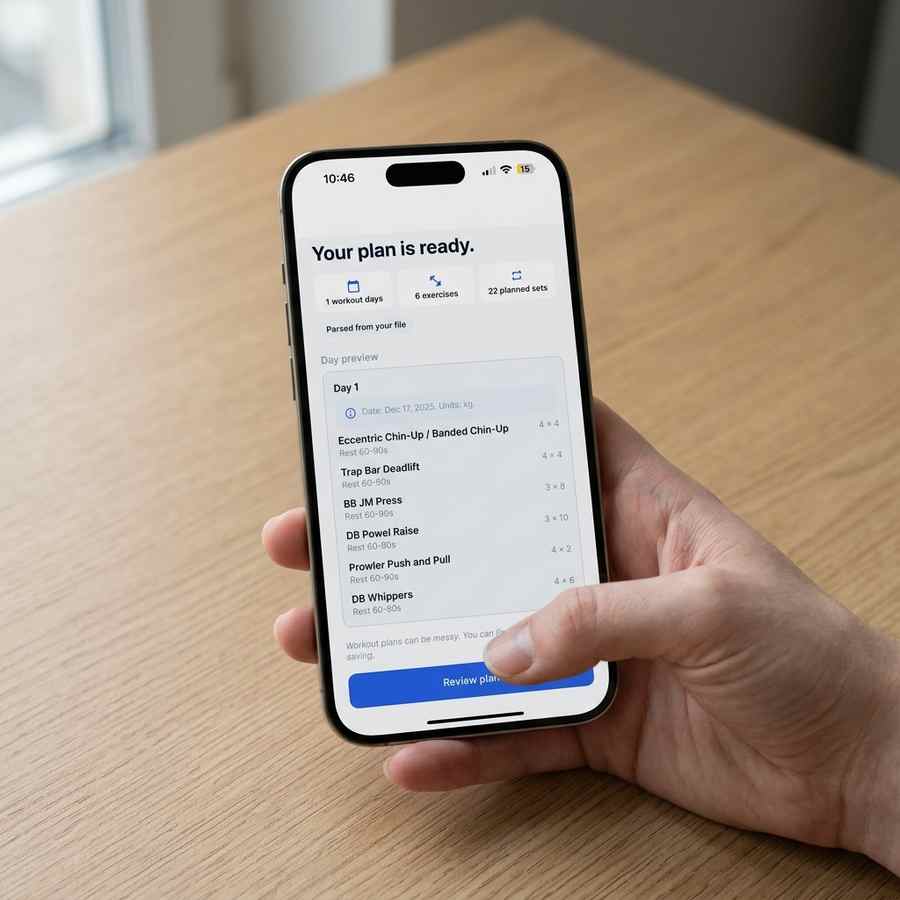
The app parses the document and shows you a preview: detected sessions, exercises, and the sets and reps tied to each one. This step matters because it’s your chance to catch a misread number before it becomes part of your logged history. Once it looks right, you save the plan and it’s ready to log against. A two-page coach PDF typically parses in well under a minute, compared to the 20-plus minutes retyping it would take.
This is also where a coach PDF specifically raises extra questions, like sheet naming conventions or exercise notation. If that’s your situation, our coach PDF workout plan app checklist covers what to look for before choosing an app.
Once the plan is saved, each session becomes something you open at the gym and log against directly: tap a set, enter the weight and reps you actually did, move to the next one. The rest timer starts automatically between sets instead of you tracking it yourself. If your plan runs multiple weeks or cycles, the app carries the structure forward so week 2 doesn’t require re-importing anything.
Weight units are worth checking during the review step too. A plan written in kilograms by a European coach should stay in kilograms rather than getting silently converted, since a rounding difference in the conversion can throw off your progression math over a multi-week block.
Yes, as long as the text is legible. A scanned PDF still contains an image of the plan even if it has no selectable text layer, and AI-based import methods can read it the same way they would read a photo. Blurry or heavily cropped scans are more likely to produce errors, so a clear scan works best.
It can. Tables and columns are usually parsed correctly because the structure gives the parser clues about which numbers belong to which exercise. Plans written as dense paragraphs of text, with no clear line breaks between exercises, are more likely to need a manual check afterward.
A good import flow shows you the parsed plan before you start logging against it, so you can fix a misread exercise name, weight, or rep count before it becomes part of your tracked history. Always review the first import of a new plan rather than assuming it’s perfect.
If you’re weighing conversion methods against import methods, our breakdown of how to convert a workout plan PDF compares the two approaches directly. And if your plan didn’t arrive as a PDF at all, see how the same problem plays out for a plan sent from coach to app in other formats.
Yes, as long as the text is legible. A scanned PDF still contains an image of the plan even if it has no selectable text layer, and AI-based import methods can read it the same way they would read a photo. Blurry or heavily cropped scans are more likely to produce errors, so a clear scan works best.
It can. Tables and columns are usually parsed correctly because the structure gives the parser clues about which numbers belong to which exercise. Plans written as dense paragraphs of text, with no clear line breaks between exercises, are more likely to need a manual check afterward.
A good import flow shows you the parsed plan before you start logging against it, so you can fix a misread exercise name, weight, or rep count before it becomes part of your tracked history. Always review the first import of a new plan rather than assuming it's perfect.
Keep reading
Got a coach PDF workout plan? See what an app needs to handle it well, and how Repport turns the file into a loggable session in seconds.
Read more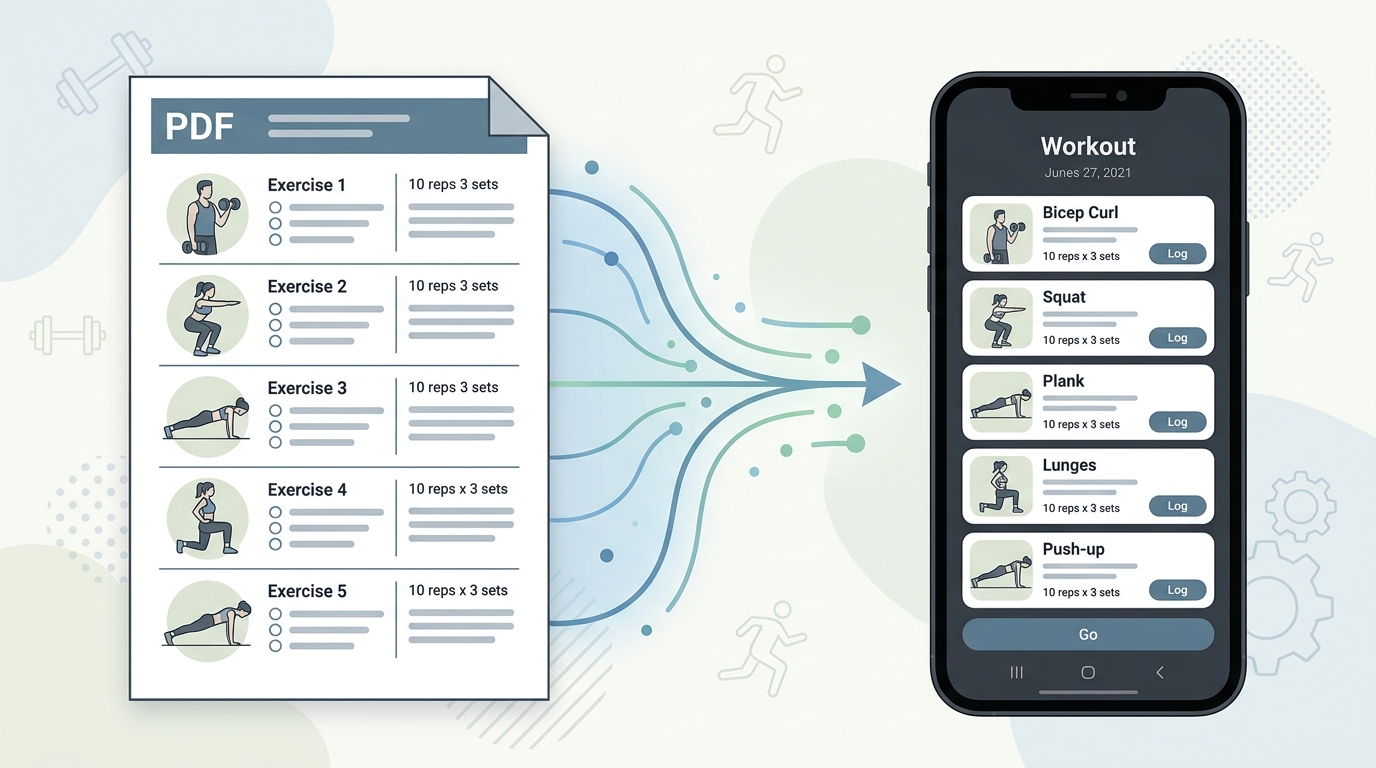
Your coach's PDF is not a training tool. Learn how to convert any workout plan PDF into a structured digital format you can log, track, and follow mid-session.
Read more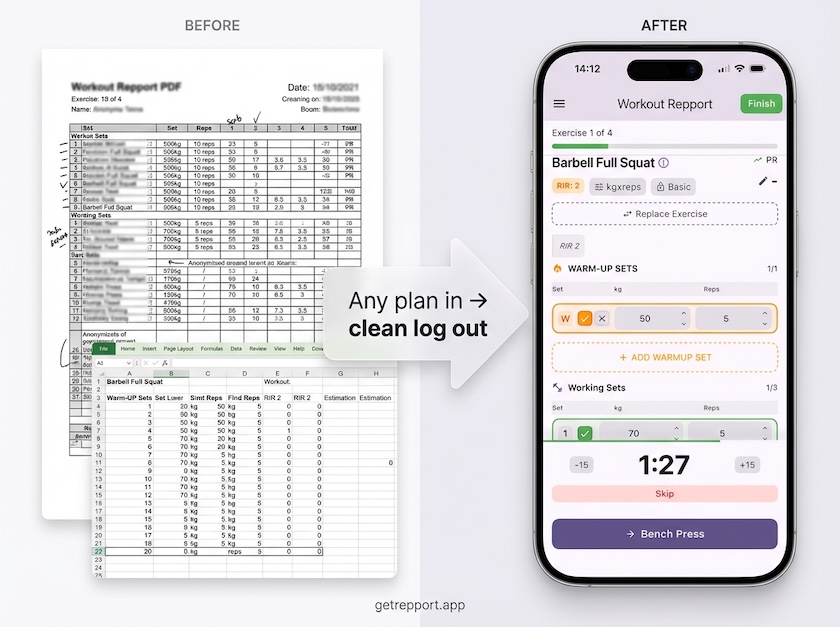
Stop training from a messy spreadsheet. Import your Excel or Google Sheets workout plan into Repport and log your sets with a mobile-first interface.
Read moreUpload your plan and get a tappable workout in minutes. Join the future of coaching execution.