01
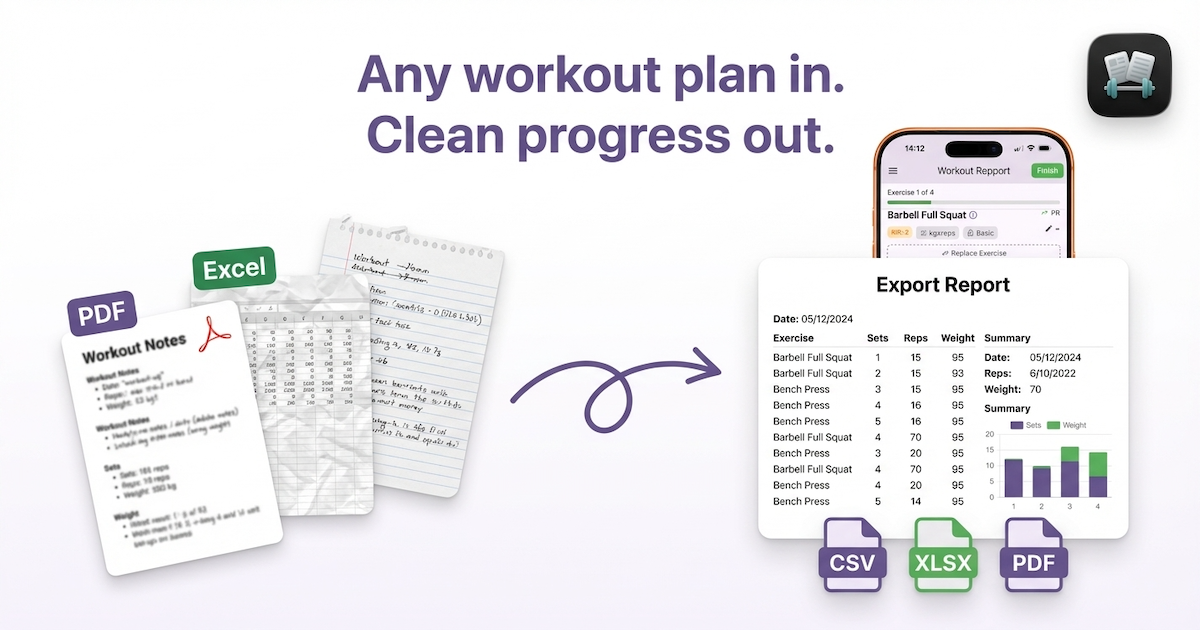
Import any format
Paste text, drop in a spreadsheet, or bring a screenshot from your coach. Repport turns it into a clean workout structure.
Bring PDFs, spreadsheets, screenshots, or plain text into a clean training flow. Log fast at the gym and export your history whenever you want.
Available now for iPhone.
Why Repport
Repport keeps the work you already did in your plan, removes the retyping, and makes the log feel like a tool instead of homework.
Paste text, drop in a spreadsheet, or bring a screenshot from your coach. Repport turns it into a clean workout structure.
Big tap targets, quick set entry, and a simple "what is next" flow keep the app out of your way between sets.
Your history stays portable with exports that are easy to share, archive, or move into another workflow later.
How it works
The workflow stays simple: get the plan in, run the workout on your phone, then export the result when you are done.
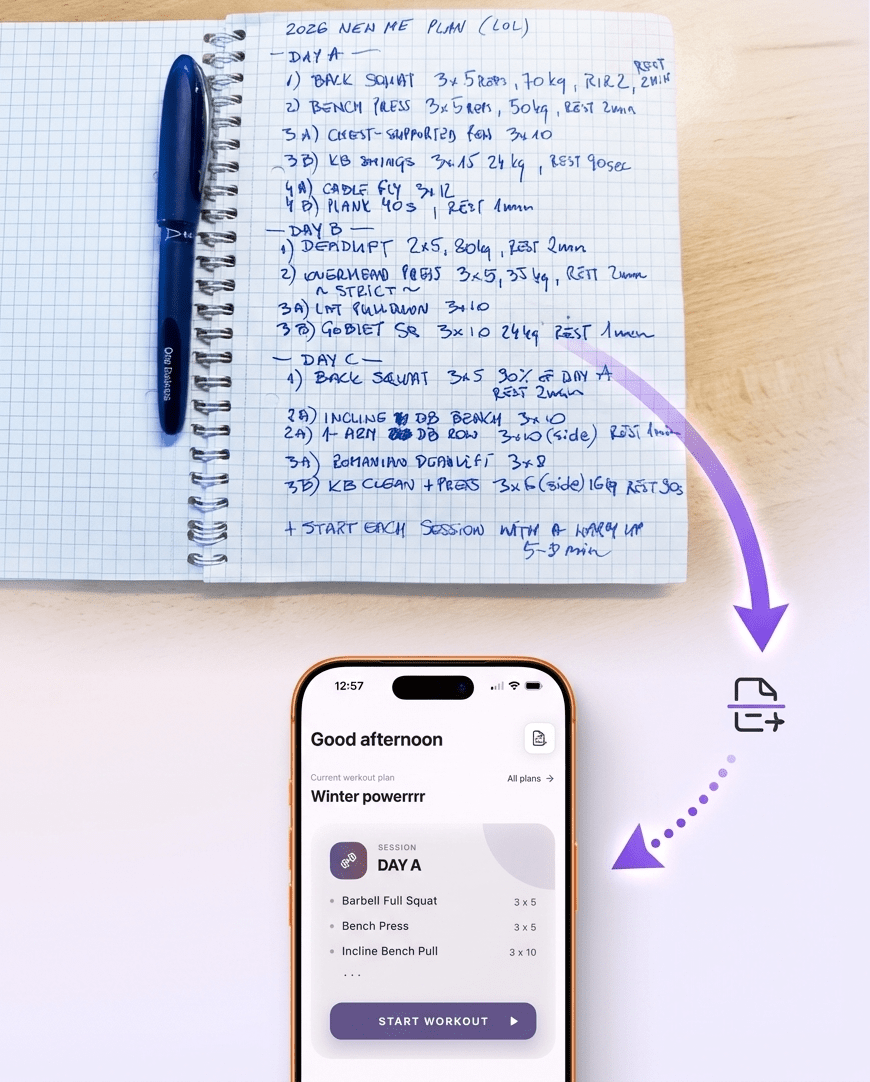
Upload a PDF, spreadsheet, screenshot, or pasted text. Repport structures the session so you can start immediately.
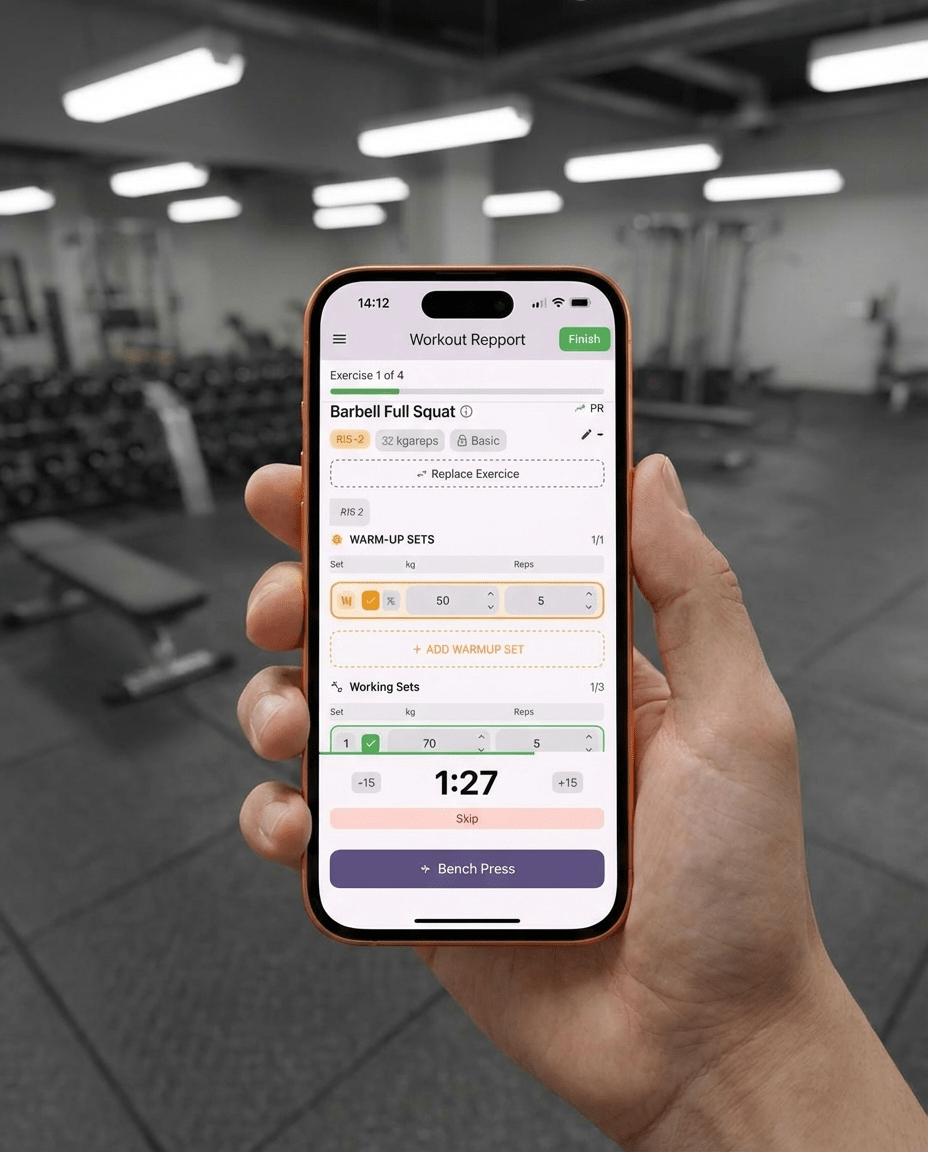
Follow the workout step by step, log sets quickly, and keep your focus on the lift instead of the screen.
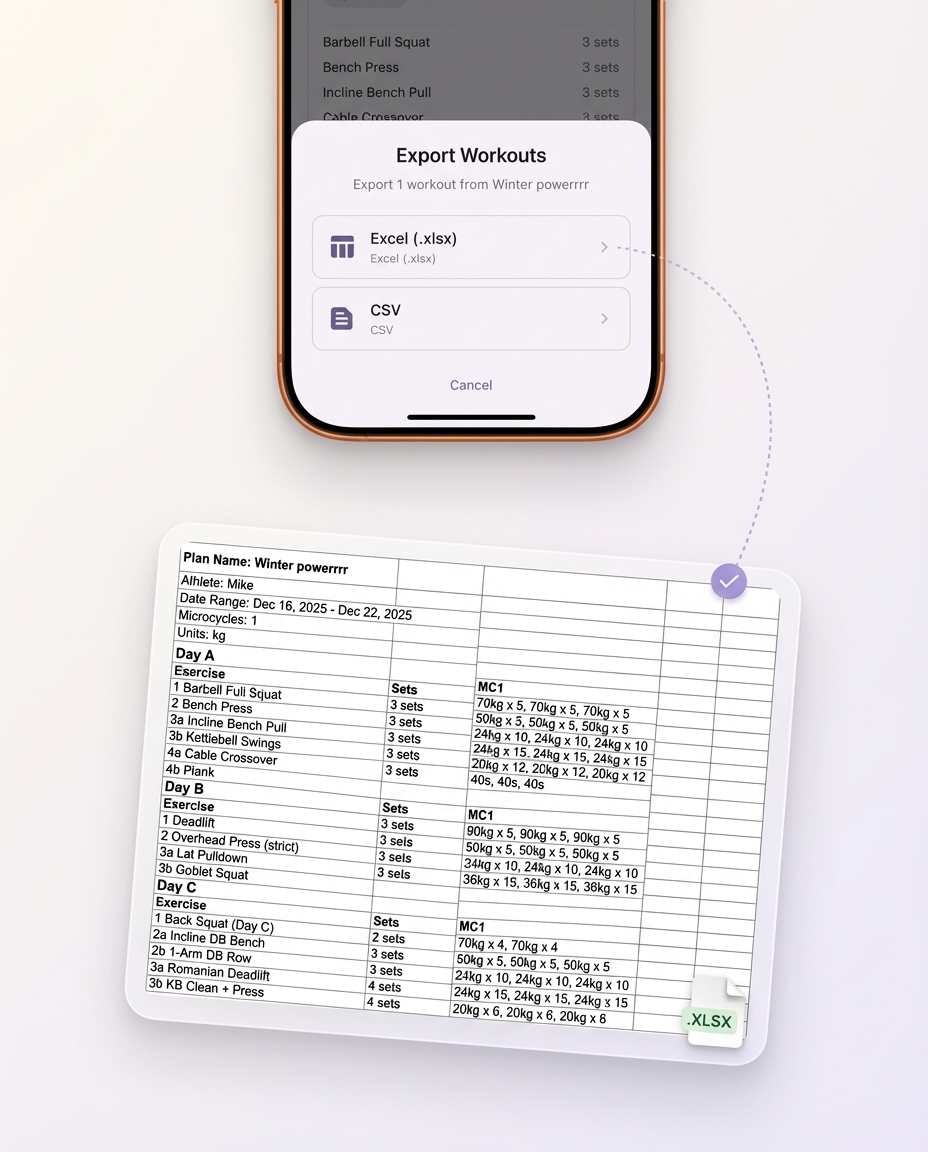
Send your history to CSV, XLSX, or PDF anytime so your data stays portable and coach-friendly.
You are probably one of these three
The design goal is not more features. It is fewer annoying steps for the people who already have a plan and want to stick to it.
Your program already exists in a PDF, spreadsheet, or chat thread. Repport helps you turn it into something you can follow on the floor.
You want the app to disappear between sets. Repport keeps the interface clear, direct, and easy to use with sweaty hands.
You do not want to rebuild your history later. Export-first thinking keeps your progress usable outside the app.
Case studies
Every case study links the source file, shows the full result, and states the app version used. Judge it for yourself.
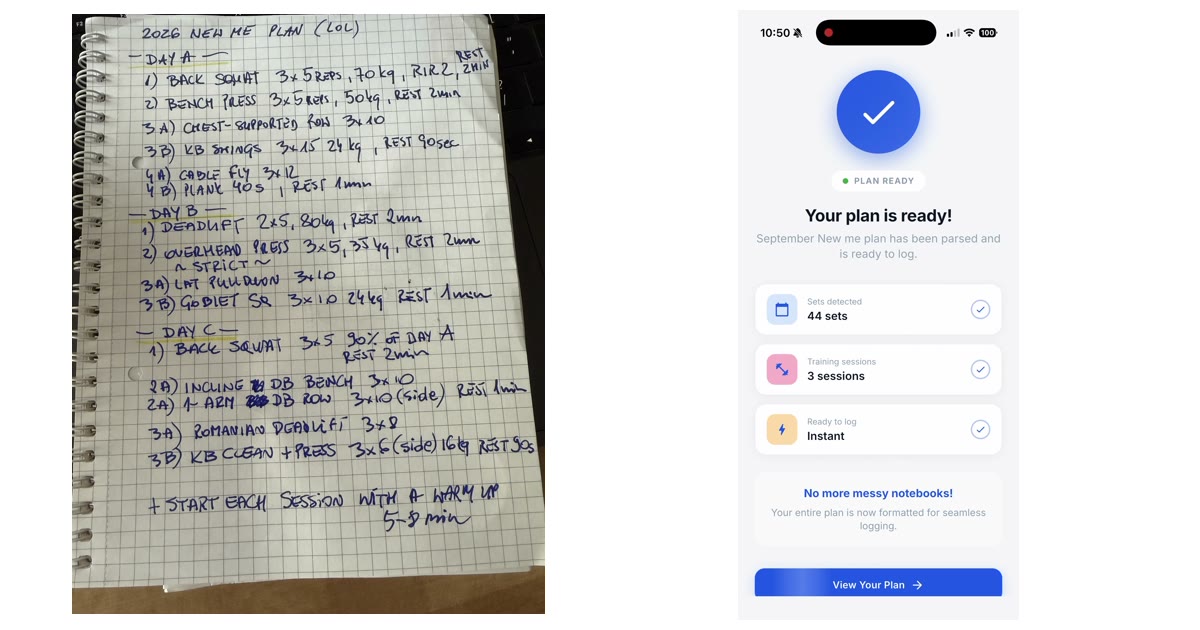
A handwritten 3-day plan, photographed once and imported into Repport in about 30 seconds: 3 sessions, 15 exercises, 44 sets. Every parsed line, plus the recording.
Read the case study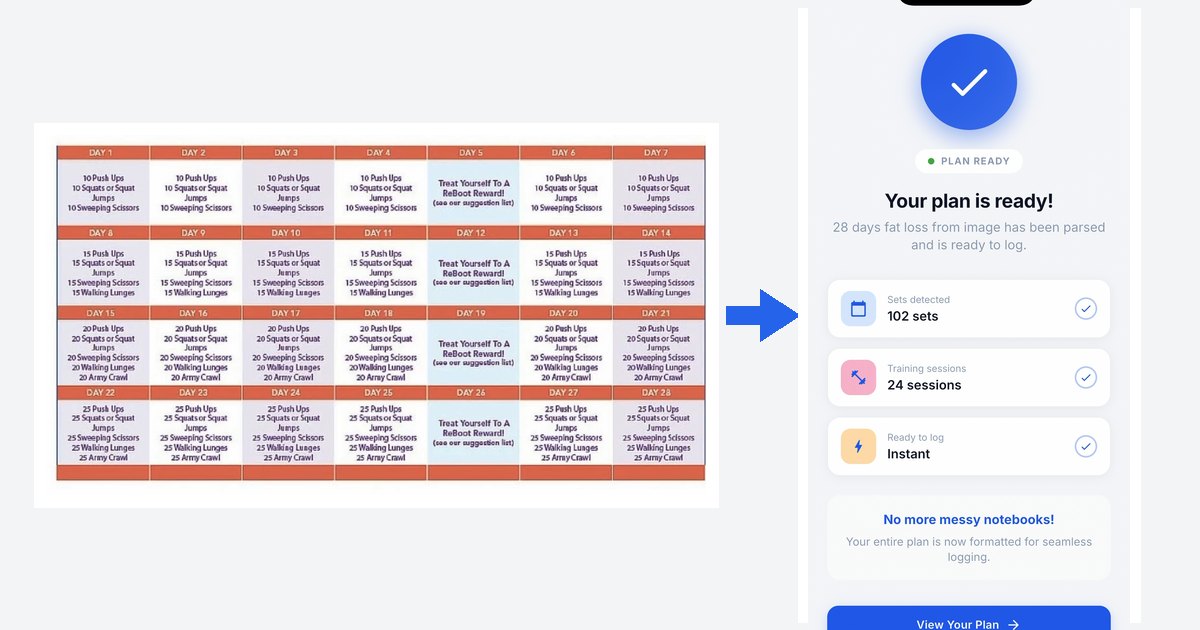
Workout plan from image app: a real 28-day challenge imported from one picture into Repport in about 35 seconds. Every parsed set, plus the full recording.
Read the case study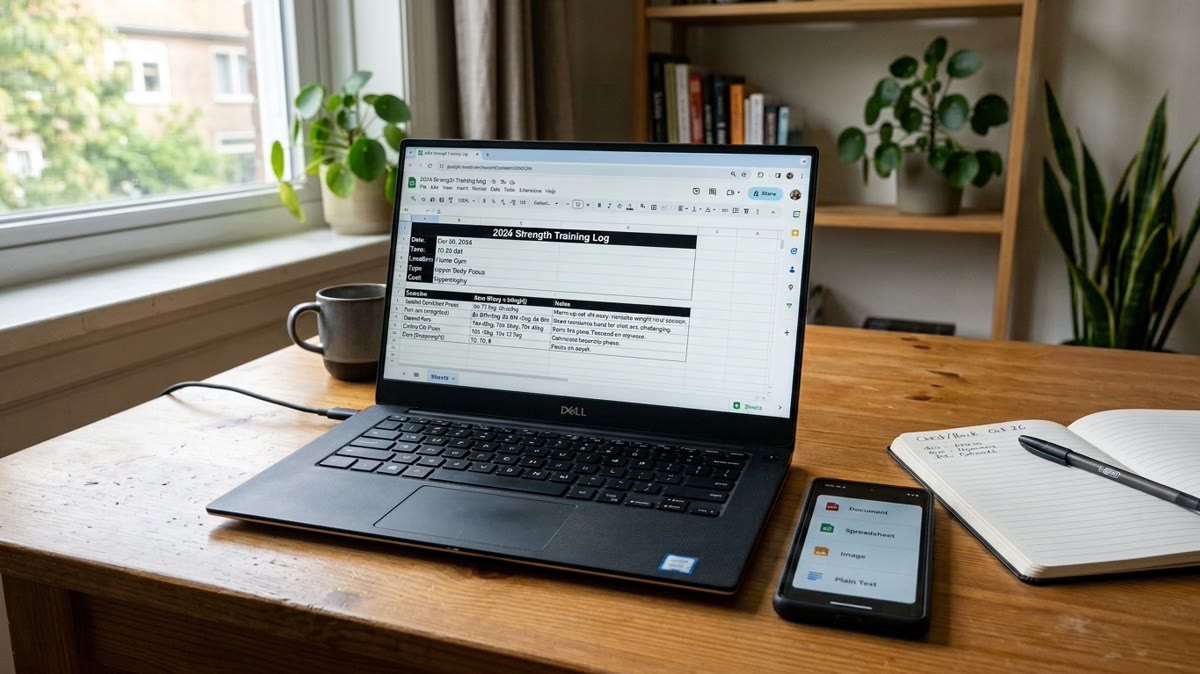
The real Excel file Repport exports from a training block: a structured Exercise / Sets / Notes table per workout, ready to sort, chart, or hand to an LLM.
Read the case studyLatest posts
Browse the latest implementation notes and practical guides from the Repport blog.
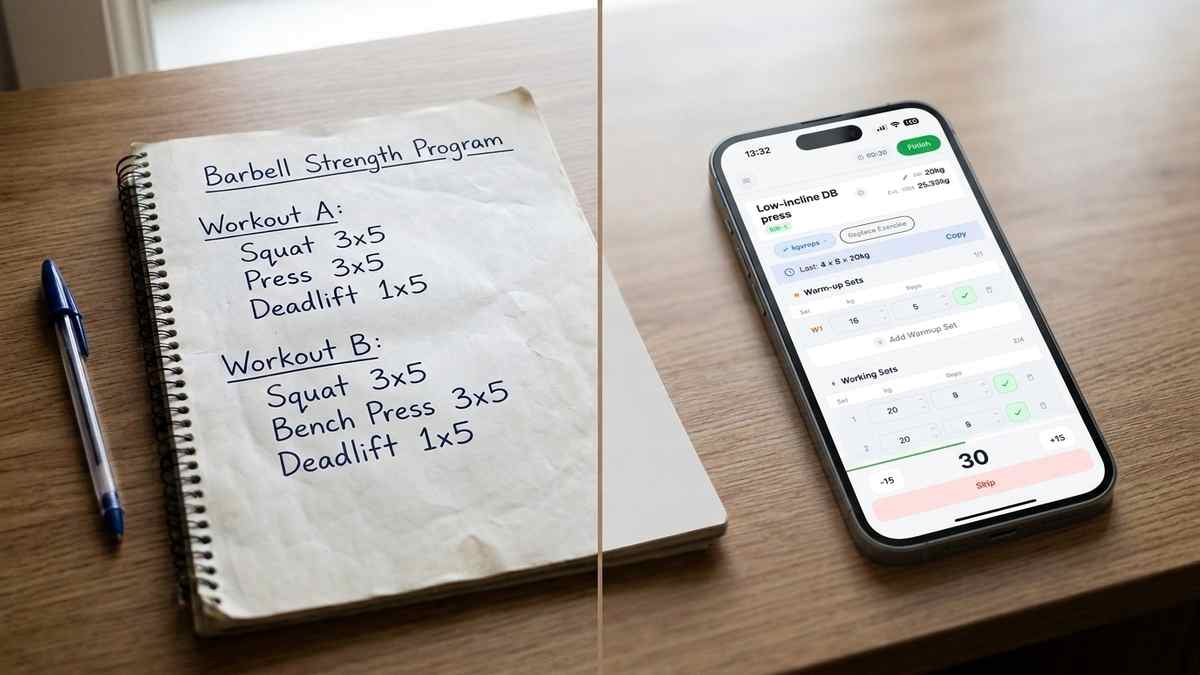
Starting Strength app guide: the A/B workout split, linear progression rule, and when to move to intermediate programming like the Texas Method.
Read post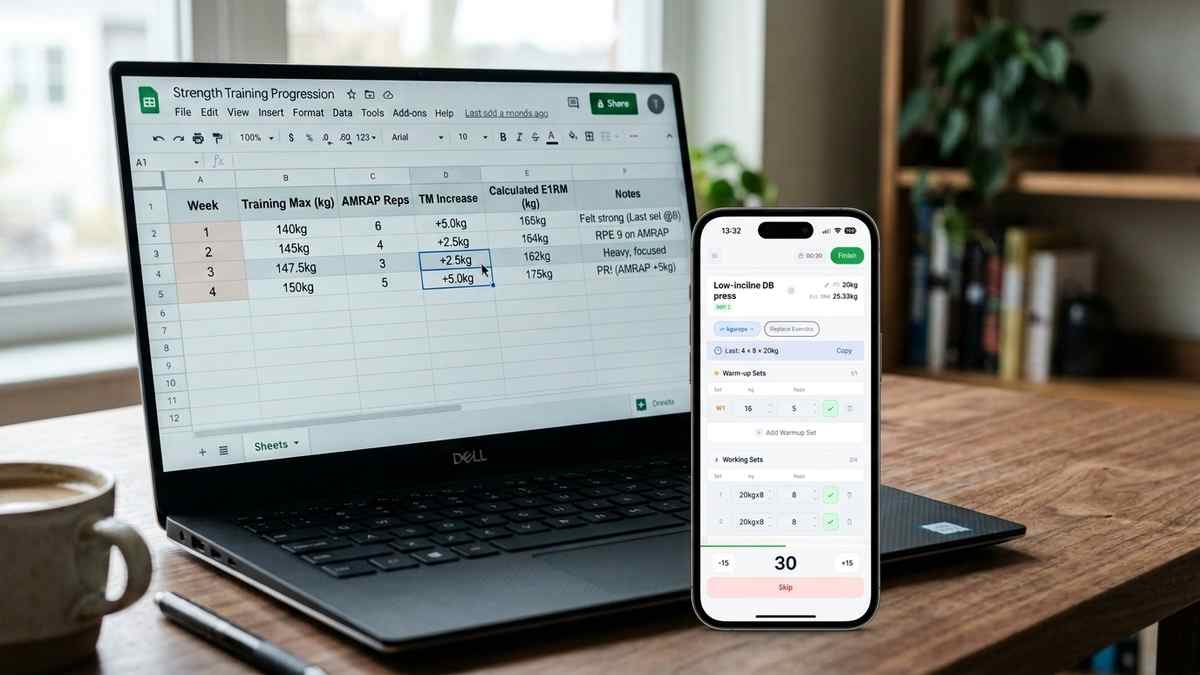
How nSuns 5/3/1 LP differs from standard 5/3/1, its T1/T2 structure, weekly training max progression, and how to track a cycle in an app.
Read post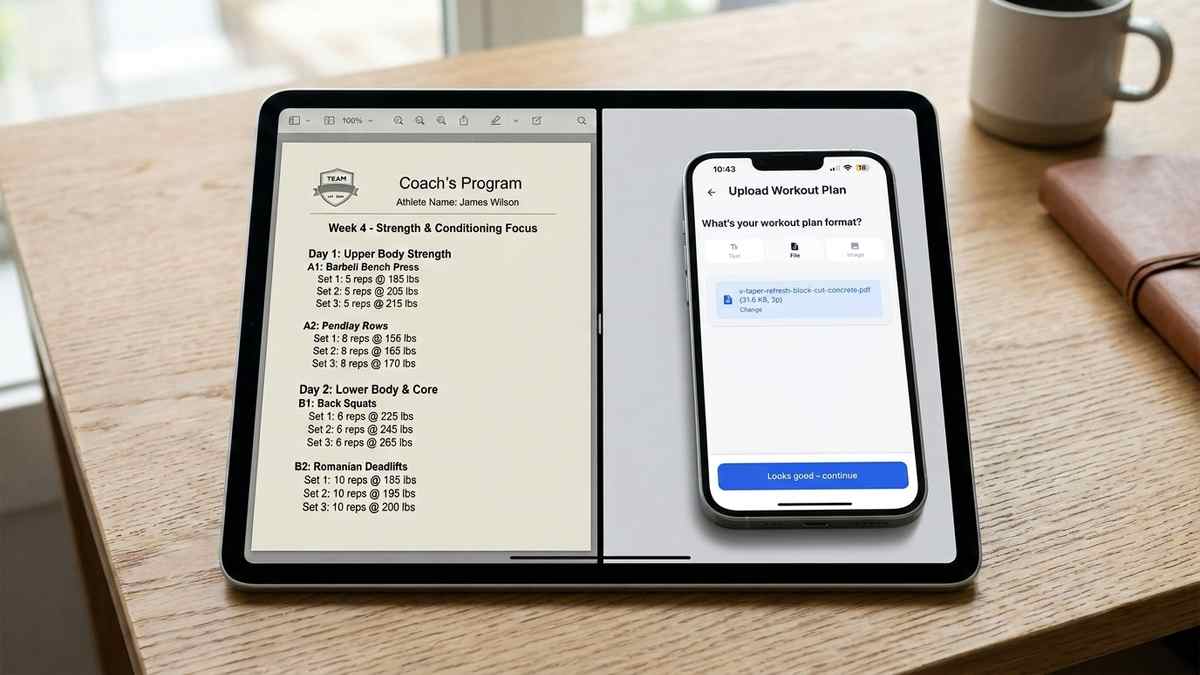
Step-by-step guide to importing a PDF workout plan into a tracking app, without retyping every set and rep by hand.
Read postGet the app
If your training already lives in PDFs, spreadsheets, screenshots, or text notes, you are exactly who we built this for.

FAQ
Repport is designed for the messy real world: PDFs, spreadsheets, screenshots, pasted text, and other structured plan formats.
No. It works with any structured plan, whether it came from a coach, a template, or your own notes.
Yes. Exporting your training history is a core promise, not an afterthought.
Repport is available now on the App Store for iOS so we can keep iterating quickly on the mobile training experience.
Your data stays yours. See the Privacy Policy for the full details on what we collect and how it is used.