
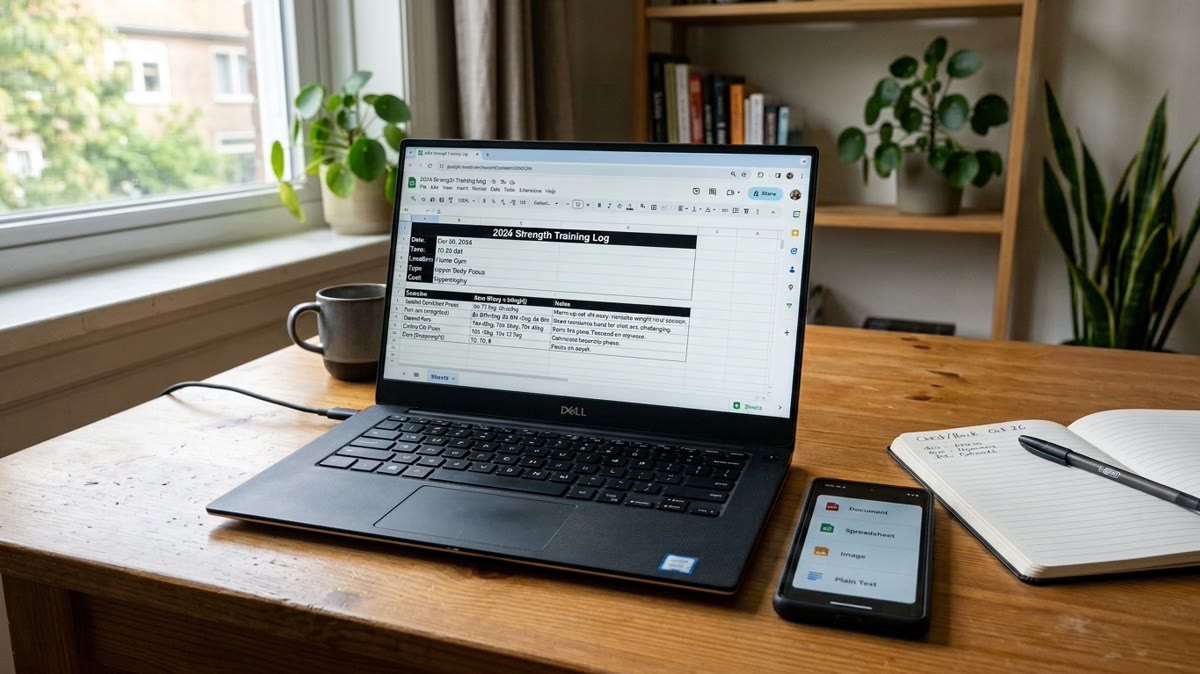
Exporting My Workout Log to Excel: The Real Spreadsheet
The real Excel file Repport exports from a training block: a structured Exercise / Sets / Notes table per workout, ready to sort, chart, or hand to an LLM.
Read moreA handwritten 3-day plan, photographed once and imported into Repport in about 30 seconds: 3 sessions, 15 exercises, 44 sets. Every parsed line, plus the recording.
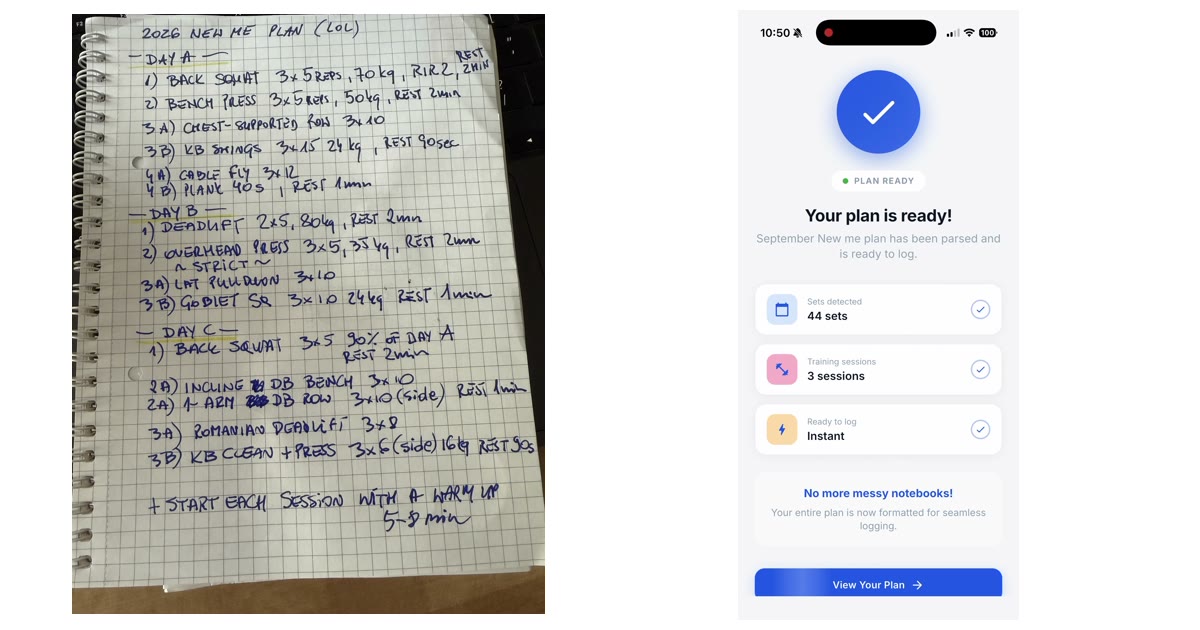
I wrote my workout plan out by hand and want it in an app
Download the source file — the handwritten plan, photographed (JPG)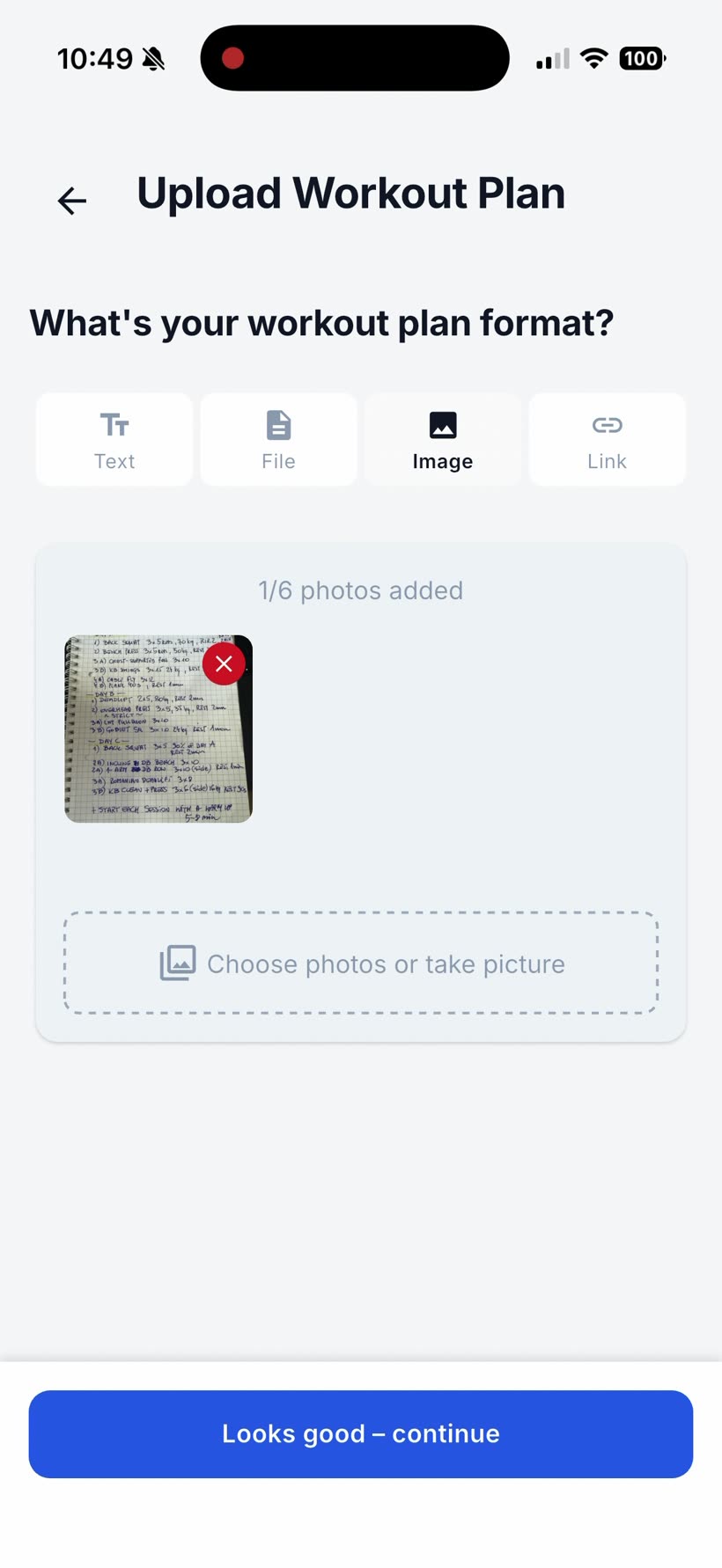
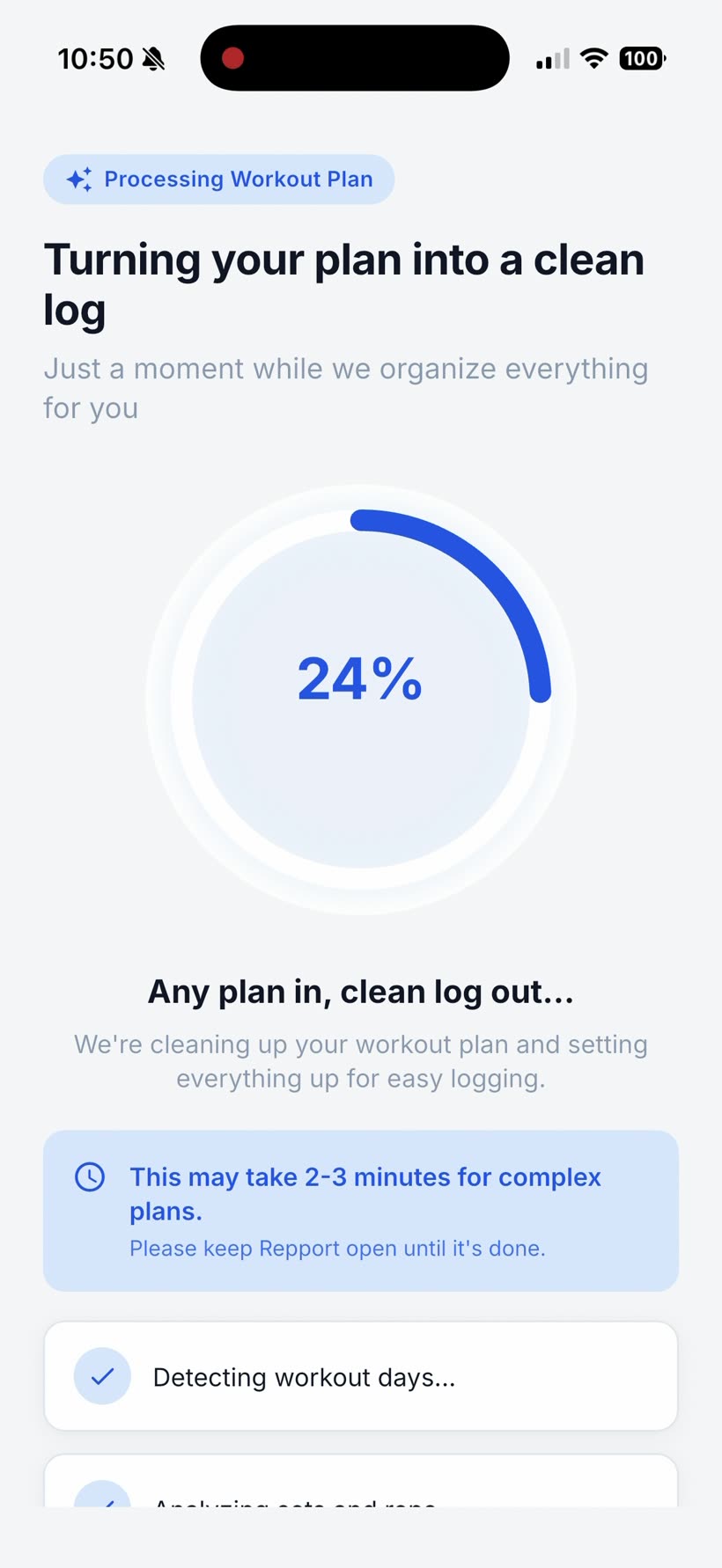
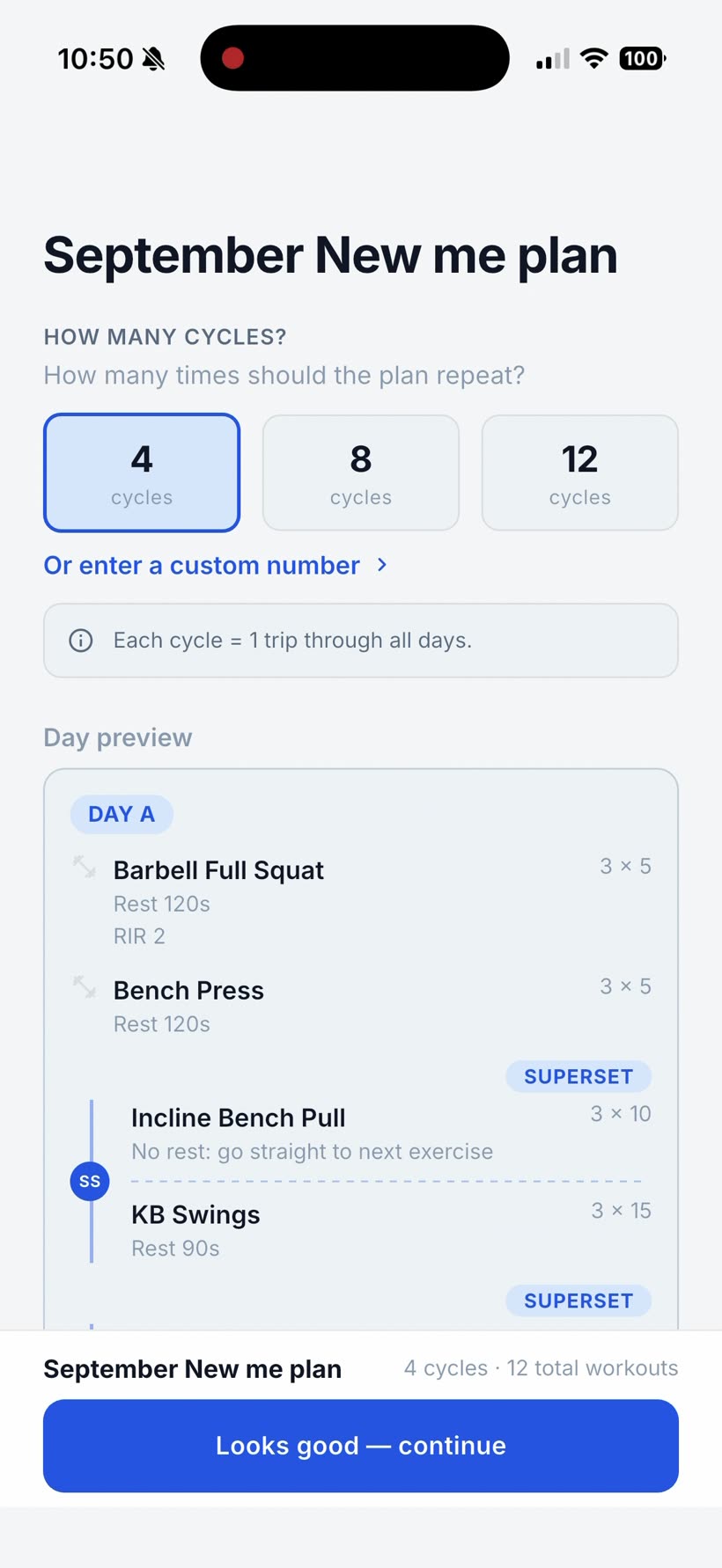
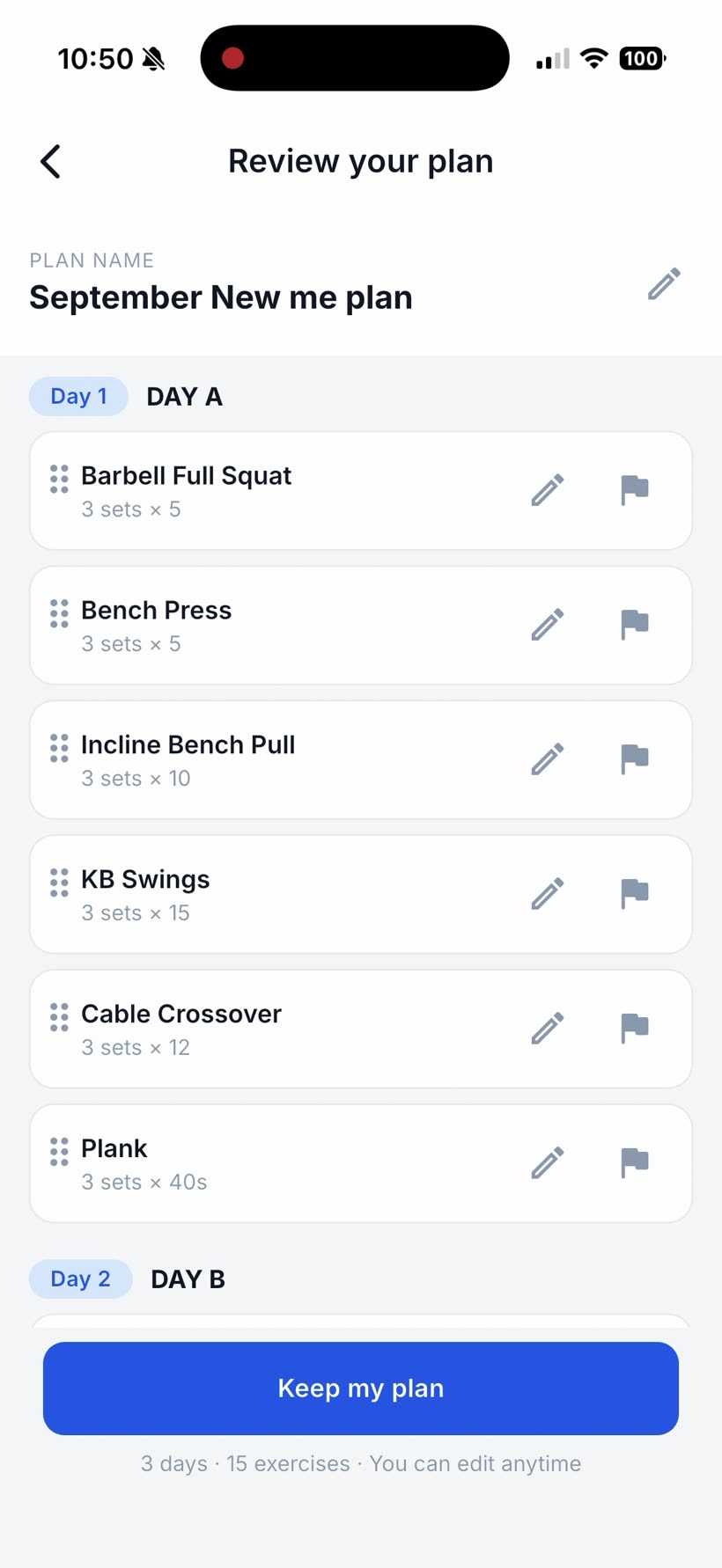
You keep your training in a notebook. Three days, A, B and C, written out in shorthand: sets by reps, a weight next to the main lifts, a few “3A / 3B” pairs for the supersets, rest times as “2min” or “90sec”. It works on paper. It is not something you can tick off set by set on your phone without copying all of it across first.
Repport read the page from one photo in about 30 seconds. Below is the exact image that went in, the full screen recording, and every line it produced.
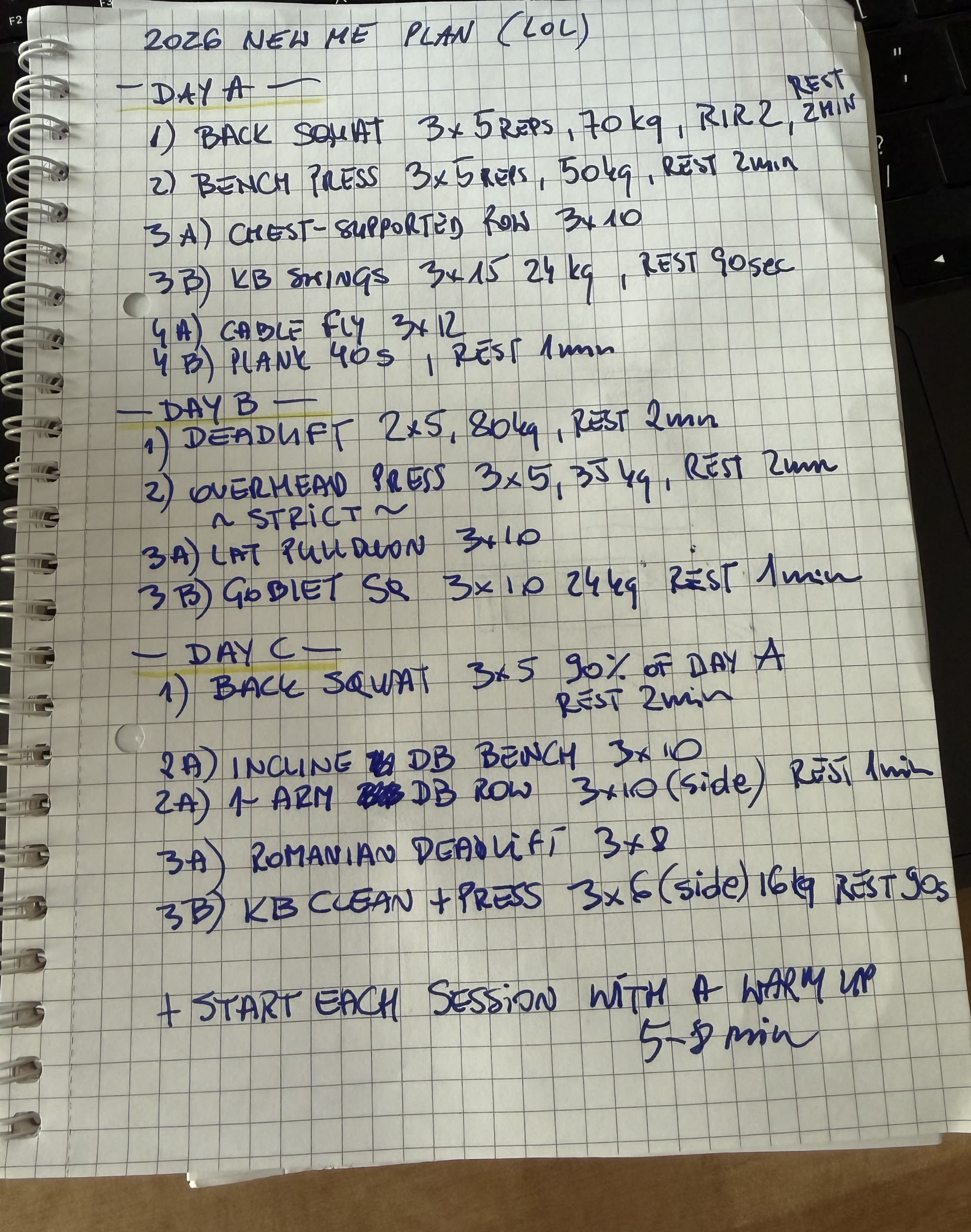
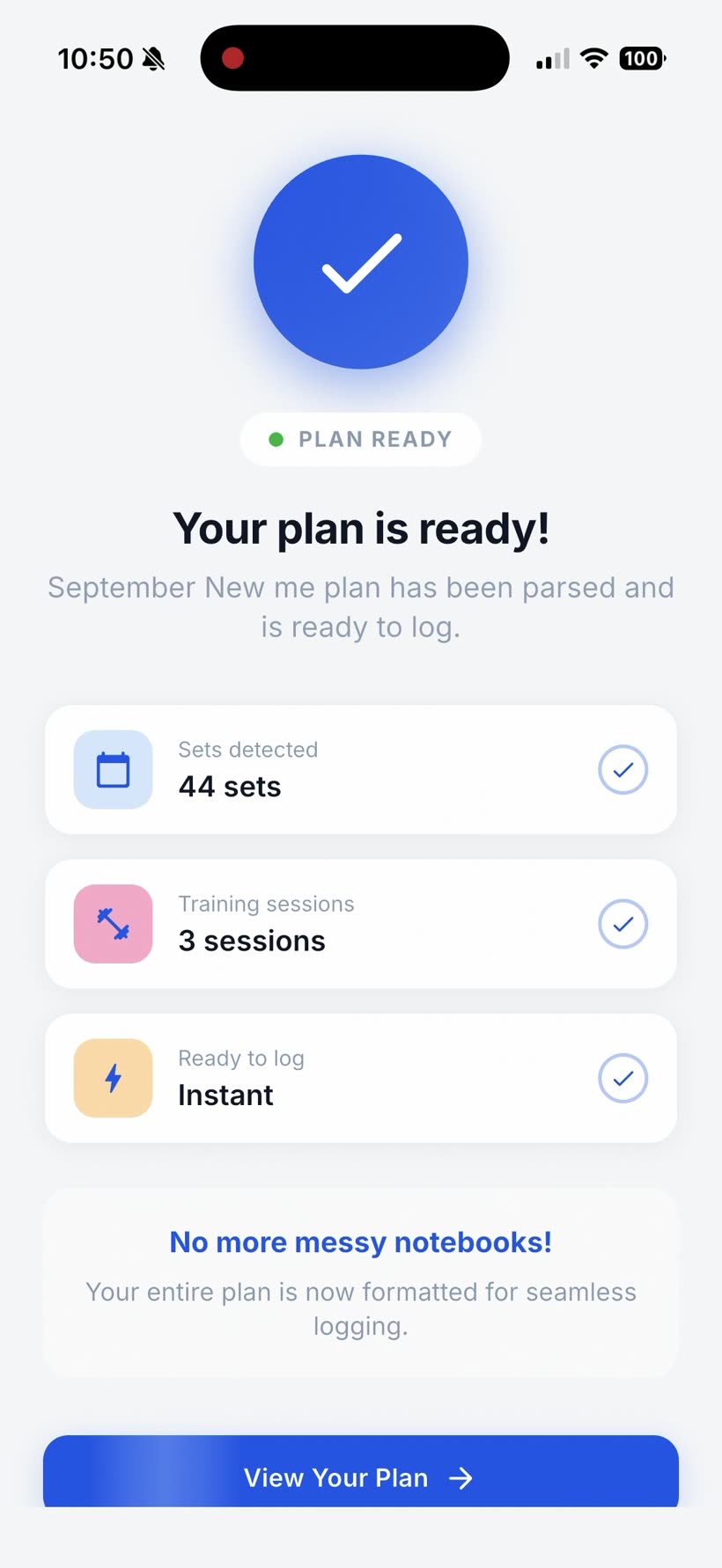
Yes. Repport takes a photo of a written plan and turns it into a structured, trackable workout, with no retyping. This page is one run of exactly that: a 3-day plan that existed only in a spiral notebook, photographed at an angle on a desk, imported in about 30 seconds into 3 sessions and 44 sets.
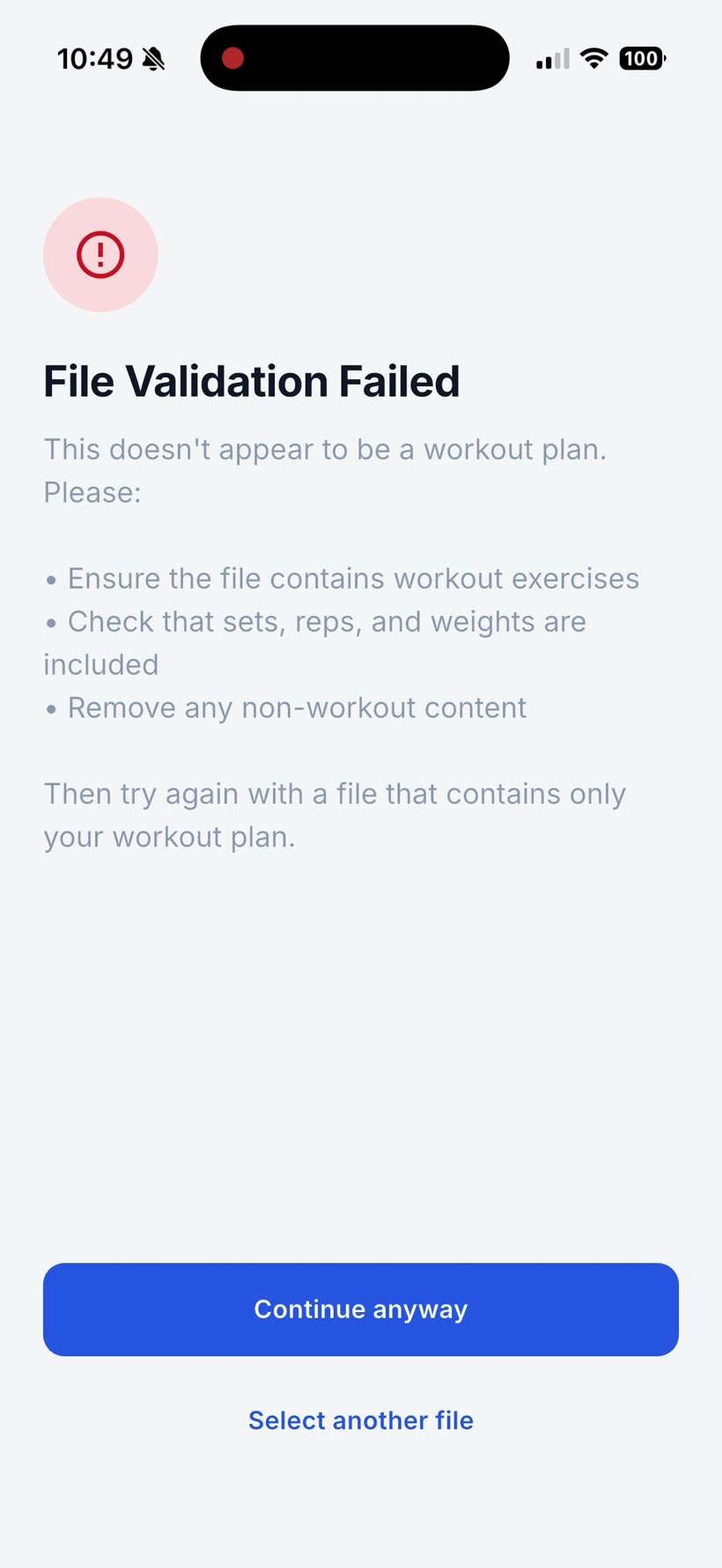
The picture was a bad picture on purpose: shot at an angle, keyboard and desk in the frame, a little glare on the paper. Repport’s first pass caught that and showed “File Validation Failed, this doesn’t appear to be a workout plan.” One tap on “Continue anyway” and the parse ran normally and produced everything below. The flag is a speed bump, not a wall, but a straight-on photo of just the page would most likely skip it.
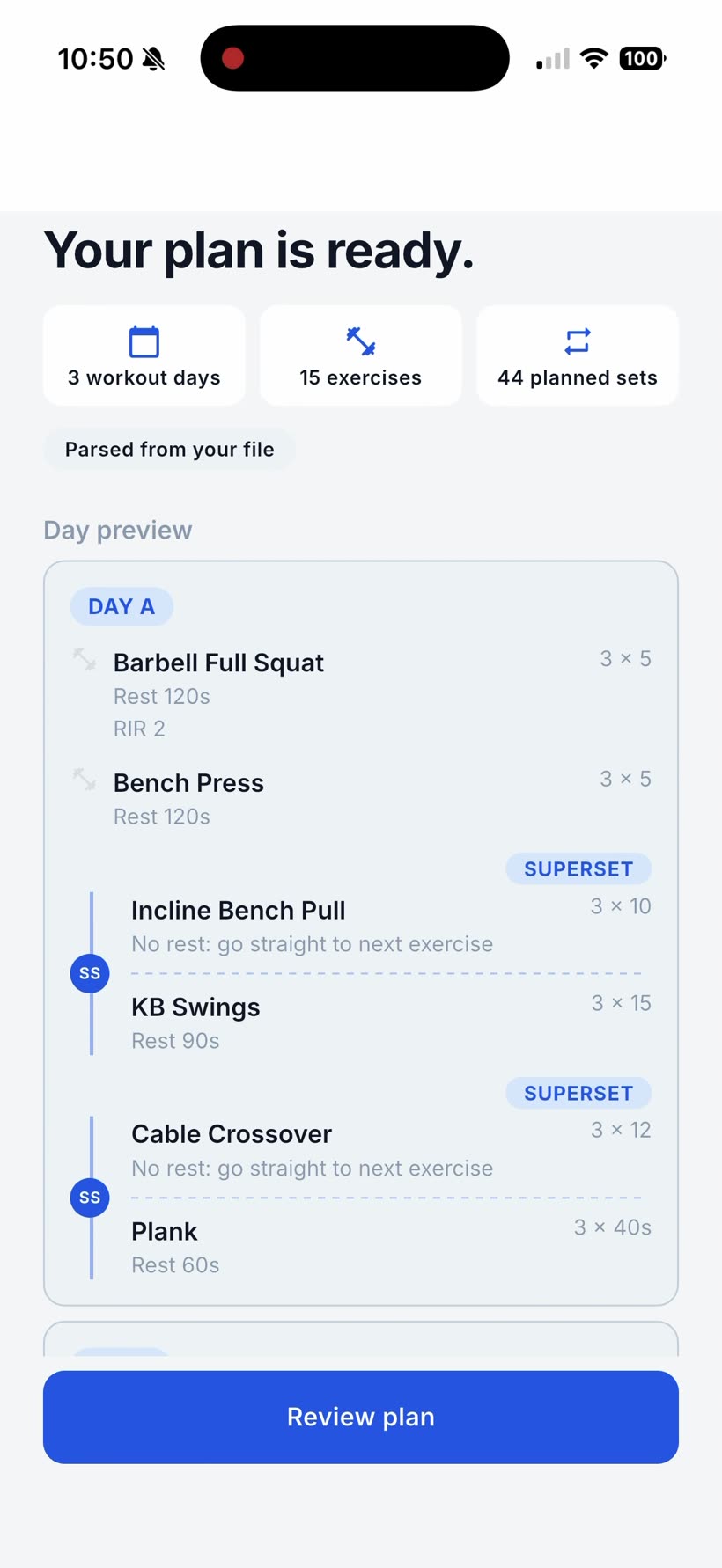
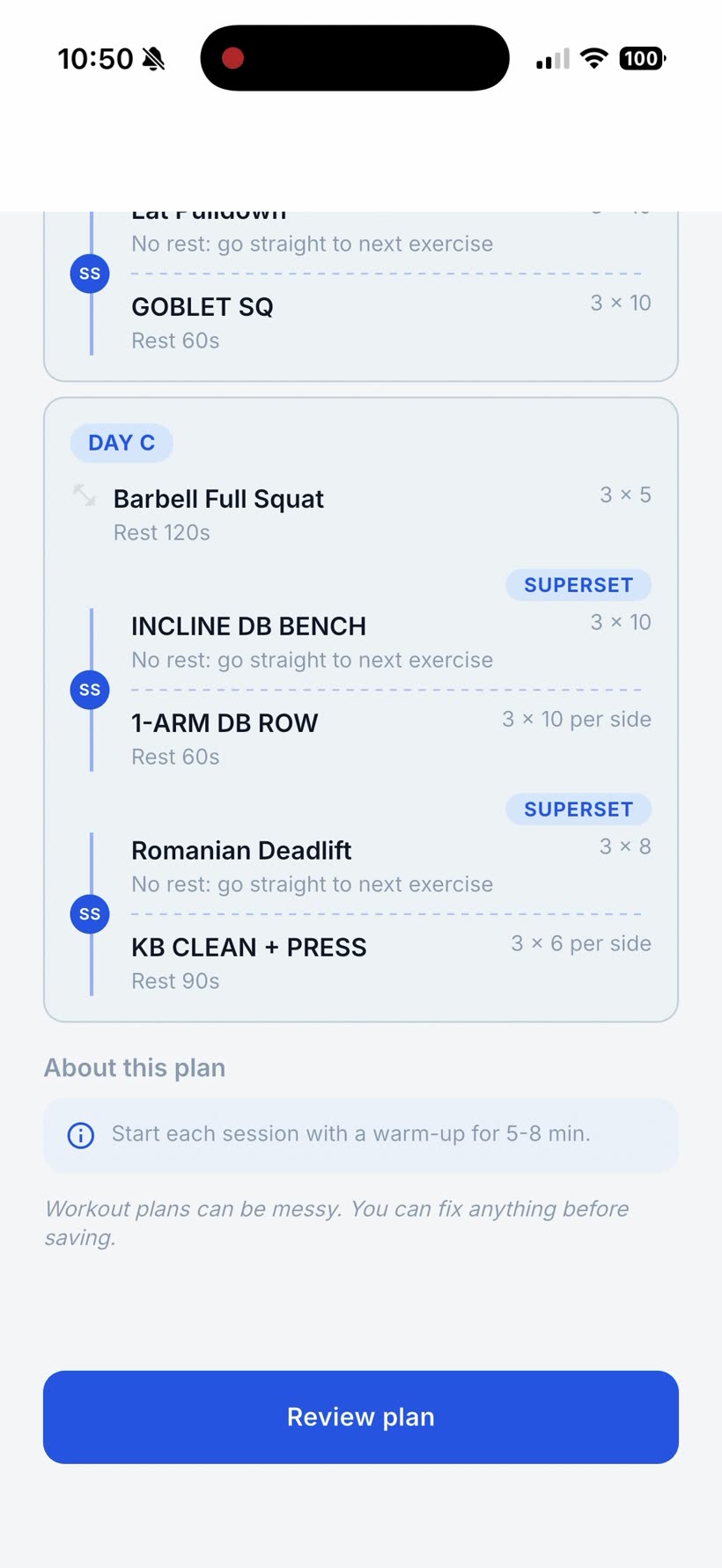
The three days came straight off the headers. Reps and set counts carried exactly, including the awkward ones: the 2×5 deadlift, the plank written as a time, the “per side” on the one-arm row and the kettlebell clean and press. Rest times converted from shorthand, “2min” to 120s, “90sec” to 90s, “1min” to 60s. The “RIR 2” note stayed on the squat. The line at the bottom of the page, “start each session with a warm-up”, became a plan note instead of being logged as an exercise.
The “3A / 3B” and “4A / 4B” pairs became supersets. On Day C both lines were labelled “2A)” by hand, a slip of the pen, and Repport still paired the incline dumbbell bench with the one-arm row, and the Romanian deadlift with the clean and press.
| Day | Exercises | Sets | Notes Repport kept |
|---|---|---|---|
| A | 6 | 18 | 2 supersets, RIR 2 on the squat, 40s plank |
| B | 4 | 11 | 1 superset, 2×5 deadlift |
| C | 5 | 15 | 2 supersets, “per side” on 2 lifts |
| Total | 15 | 44 |
That is 44 sets, matching the summary screen, across 3 sessions. Because the plan is an A/B/C rotation rather than a dated block, Repport asked how many times to run it; four cycles came out as twelve workouts.
The weights did not come across. Every load written on the page, 70 kg on the squat, 50 on the bench, 80 on the deadlift, 35 on the press, 24 on the swings and the goblet squat, 16 on the clean and press, is absent from the parsed plan. The review screen shows sets, reps and rest; you would put your working weights in on the first set of each lift.
Three smaller things. “Back Squat” came in as “Barbell Full Squat”, the same lift under a tidier name. “90% of Day A” on the Day C squat, a relative-load instruction, was dropped, so that squat reads as a plain 3×5. And “Chest-Supported Row” was read as “Incline Bench Pull”, a different movement and the one line worth fixing on the review screen before saving.
Strong and Hevy are built for creating routines, so this plan goes in the way you would build any routine: three days, every exercise picked from a list, sets and reps set one line at a time, the supersets grouped yourself, the shorthand expanded as you go. Minutes of it before the first rep.
Repport did the same job from one photo in about 30 seconds, and the review screen opened on a finished plan with a couple of edits to make, not a blank one to fill.
Repport logged the plan the way it is written. It does not add the weights the photo does not carry through, invent rest times, or act on an instruction like “90% of Day A” that depends on another day’s number. It also does not judge the plan. Whether “2026 New Me Plan” survives past February is your problem. The job here was to get it off the page without retyping it.
For the step-by-step version, not tied to this photo, see how to import a workout plan from a photo or screenshot, and the workout plan parser covers the other formats the same pipeline reads. For a plan that lives as a single graphic rather than handwriting, see a workout plan image into an app.
Read the how-to: Import a Workout Plan From a Photo or Screenshot
Yes. Repport takes a photo of a written plan and turns it into a structured, trackable workout with no retyping. In this run it read a 3-day notebook plan from one photo in about 30 seconds and produced 3 sessions, 15 exercises and 44 sets.
Neater helps. This photo was taken at an angle with a keyboard in the frame and it still parsed, but it failed Repport's pre-check first and needed a "Continue anyway" tap. A straight-on photo of just the page usually skips that.
Not in this run. The parsed plan carried sets, reps, rest and superset grouping, but the kilogram figures on the page did not come across. You would enter your working weights on the first set of each exercise.
The 3A/3B and 4A/4B pairs became supersets, RIR 2 stayed on the squat, and the warm-up line at the bottom of the page became a plan note rather than a logged set. A relative instruction like "90% of Day A" was dropped.
Yes. The review screen lists every day and every exercise with an edit control, and nothing is written to your training history until you tap Keep my plan.
Keep reading
The real Excel file Repport exports from a training block: a structured Exercise / Sets / Notes table per workout, ready to sort, chart, or hand to an LLM.
Read more
The real file Repport exports from a finished plan. PDF to send a coach, CSV or plain text to hand your full log to ChatGPT or Claude for analysis.
Read more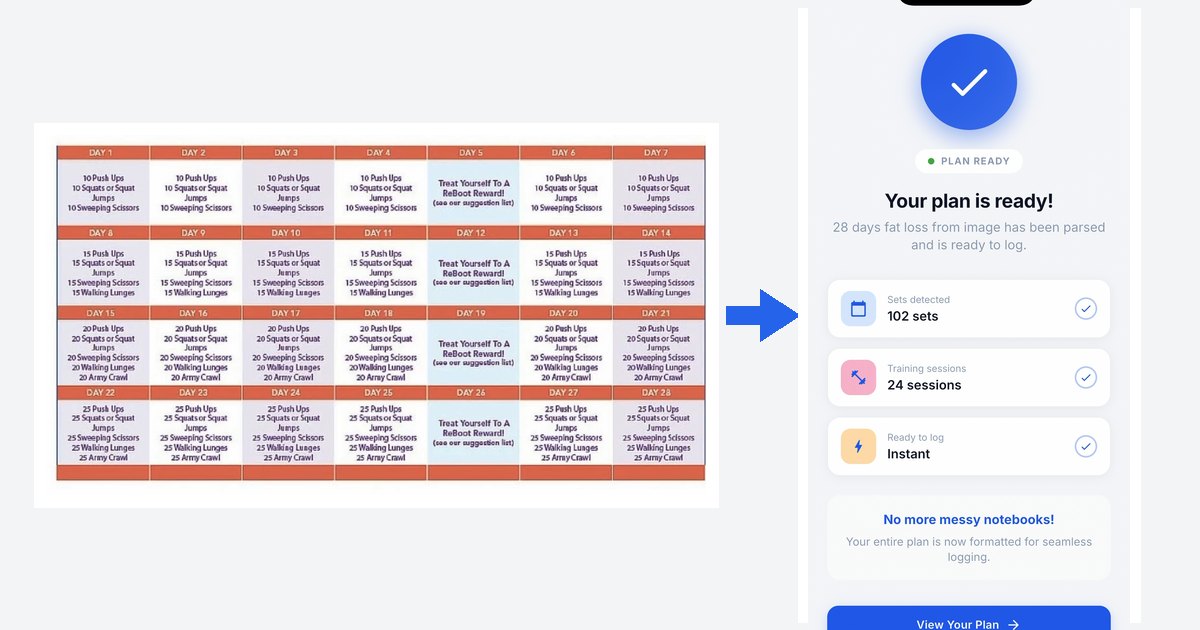
Workout plan from image app: a real 28-day challenge imported from one picture into Repport in about 35 seconds. Every parsed set, plus the full recording.
Read moreUpload your plan and get a tappable workout in minutes. Join the future of coaching execution.