Coach PDF Workout Plan App: How to Track It Without Retyping
Got a coach PDF workout plan? See what an app needs to handle it well, and how Repport turns the file into a loggable session in seconds.
Read moreInstantly convert PDF plans, spreadsheets, or even screenshots into an interactive workout routine. Stop typing and start lifting.
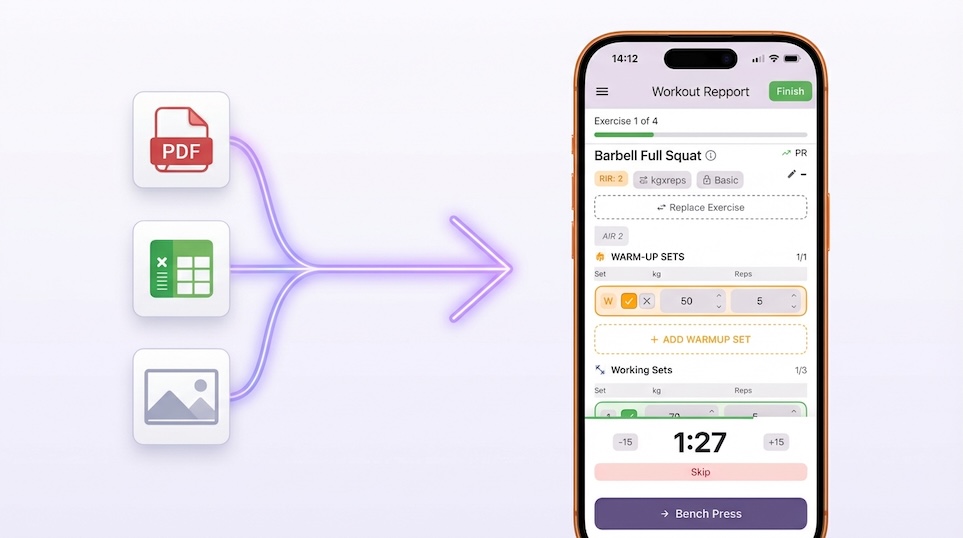
Most workout plans were not designed to be used on a phone. They live in PDFs, spreadsheets, or screenshots, formats built for reading, not for logging a set of squats at 80% with 30 seconds left on the rest timer.
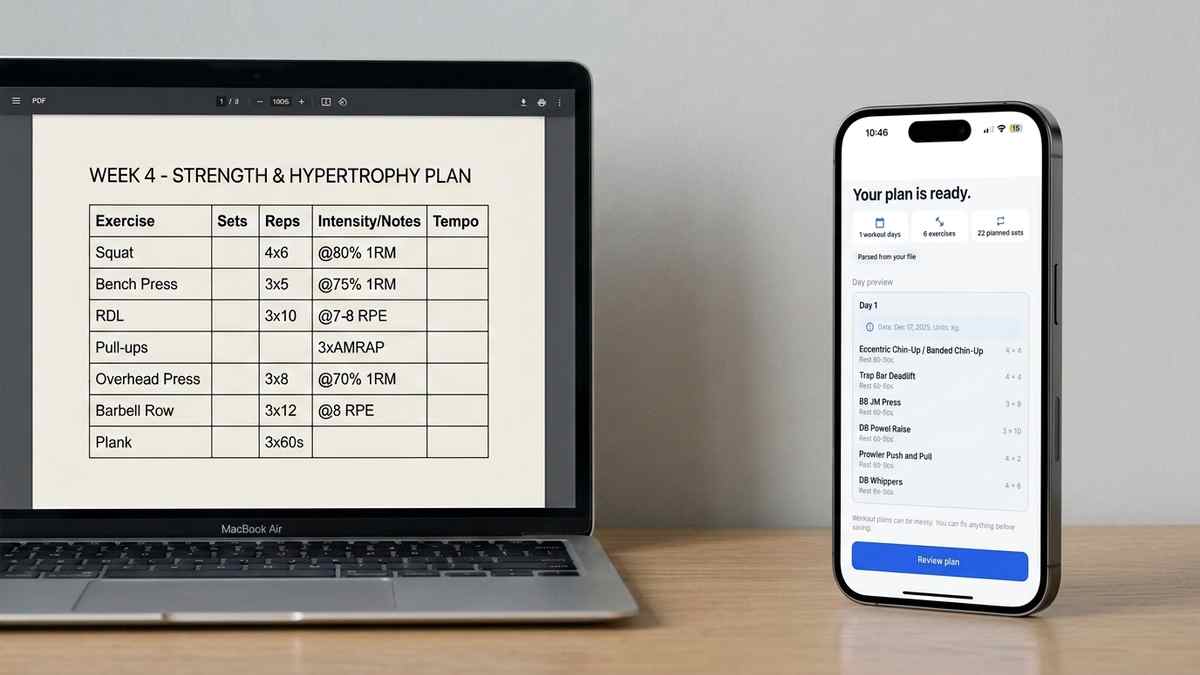
Repport’s parser handles the conversion automatically. Upload your document and the app identifies the session structure: days, exercises, sets, reps, and any notation your coach uses for intensity or rest. The result is a clean, tappable workout you can follow without switching between your phone and a document.
The parsing uses a combination of pattern recognition and AI to handle the inconsistencies that appear in real coaching documents, merged header rows, non-standard column names, inline comments, and mixed notation formats. For most plans, the output is accurate enough to start training immediately. For anything ambiguous, you can review and adjust before the session begins.
Screenshots and photos are also supported in beta. If your coach sends a plan as an image, or you have a photo of a whiteboard programme, you can upload it directly. The parser extracts the visible structure and converts it into a loggable session, the same way it would handle a PDF.
When you upload a document, Repport does not simply search for a list of exercise names. The parser analyses the structural layout of the document first, identifying how the content is organised before attempting to extract individual values.
For a PDF, that means reading the text layer and looking for repeating patterns that indicate session structure: groups of lines that share a consistent format, numbers that appear in positions typically occupied by sets, reps, or load values, and labels that match known exercise names. The parser is tolerant of notation variations. “3×8,” “3 sets of 8,” and “3x8” are all recognised as the same prescription. “@80%” and “80% 1RM” resolve to the same intensity notation. Tempo notations like “3-1-1-0” are extracted and attached to the exercise as a note.
The AI layer handles cases that pattern recognition alone cannot resolve: ambiguous abbreviations, exercises named in non-standard ways, and mixed-language plans where exercise names are not in English. For most standard coaching documents, the pattern recognition layer handles the import without the AI pass, which keeps processing fast and reduces unnecessary data transmission.
PDFs imported from digital sources, documents created in Word, Pages, or a coach’s programming software, parse with high accuracy as long as the text is selectable. Scanned PDFs or PDFs generated from images require the screenshot parsing path, which uses the photo input rather than the PDF text layer.
XLSX and CSV files are parsed by reading the tabular structure. The parser maps column headers to exercise fields and uses row grouping to identify sessions or days. Spreadsheets with a single consistent column structure import most cleanly. Multi-sheet workbooks with different column layouts on each tab may require a manual review pass.
Screenshots and photos go through a different pipeline. The image is processed to extract visible text, then that text is fed through the same pattern recognition used for PDFs. Accuracy depends on image quality and layout clarity. Printed plans photographed in decent lighting import well. Handwritten plans with inconsistent spacing or shorthand that only the author understands produce results that typically need review before they are usable.
Plain text pasted directly into the input field is the fastest path for simple plans. The parser expects at least a rough exercise-then-prescription structure. Bullet lists, numbered lists, and tabular plain text all work.
The parser output is always editable before you commit it to your log. The review screen shows each exercise as Repport understood it, name, sets, reps, load, and any notes it extracted. Tapping any field opens an edit view where you can correct a misread value, rename an exercise, or add context the parser missed.
This review step exists because no parser handles every coaching document without some interpretation. Coaches use idiosyncratic shorthand, custom notation for specialty bars, and split reps across multiple cells in ways that require judgment. The review step is where you apply that judgment before session data enters your history.
If a particular coach template causes systematic parsing errors, the same field misread every session, editing the template file to standardise the notation before import eliminates the issue for all future blocks from that coach.
The parser works on text and image input. It cannot parse audio descriptions, video demonstrations, or plans stored in third-party proprietary formats that do not export to a readable document.
It also does not interpret programming logic. If your plan uses Excel formulas to calculate load based on a percentage of your current max, the parser reads the formula result, not the formula itself. The underlying programming logic stays in the spreadsheet. If your max changes and the spreadsheet recalculates, you would re-import the updated file.
The parser does not make judgments about whether a plan is safe or appropriate. It extracts structure from the document you provide. The training decisions, volume, intensity, exercise selection, remain entirely yours and your coach’s.
For plans that fall outside the parser’s capabilities, manual entry remains available. Repport does not require import to use the logging features. Some users import a template for the exercise list and then log sets manually session by session.
Whether your coach sends a PDF or you found a plan online, Repport’s parser extracts the data and builds your workout for you.
Manual entry is the biggest barrier to consistent logging. Repport removes the friction.
Our parser is highly effective with consistent layouts. For complex or handwritten-style docs, you can quickly review and edit the results before finalizing.
Of course. The parser does the heavy lifting, but you have full control to tweak exercises, adjust sets, or add notes.
Keep reading
Got a coach PDF workout plan? See what an app needs to handle it well, and how Repport turns the file into a loggable session in seconds.
Read more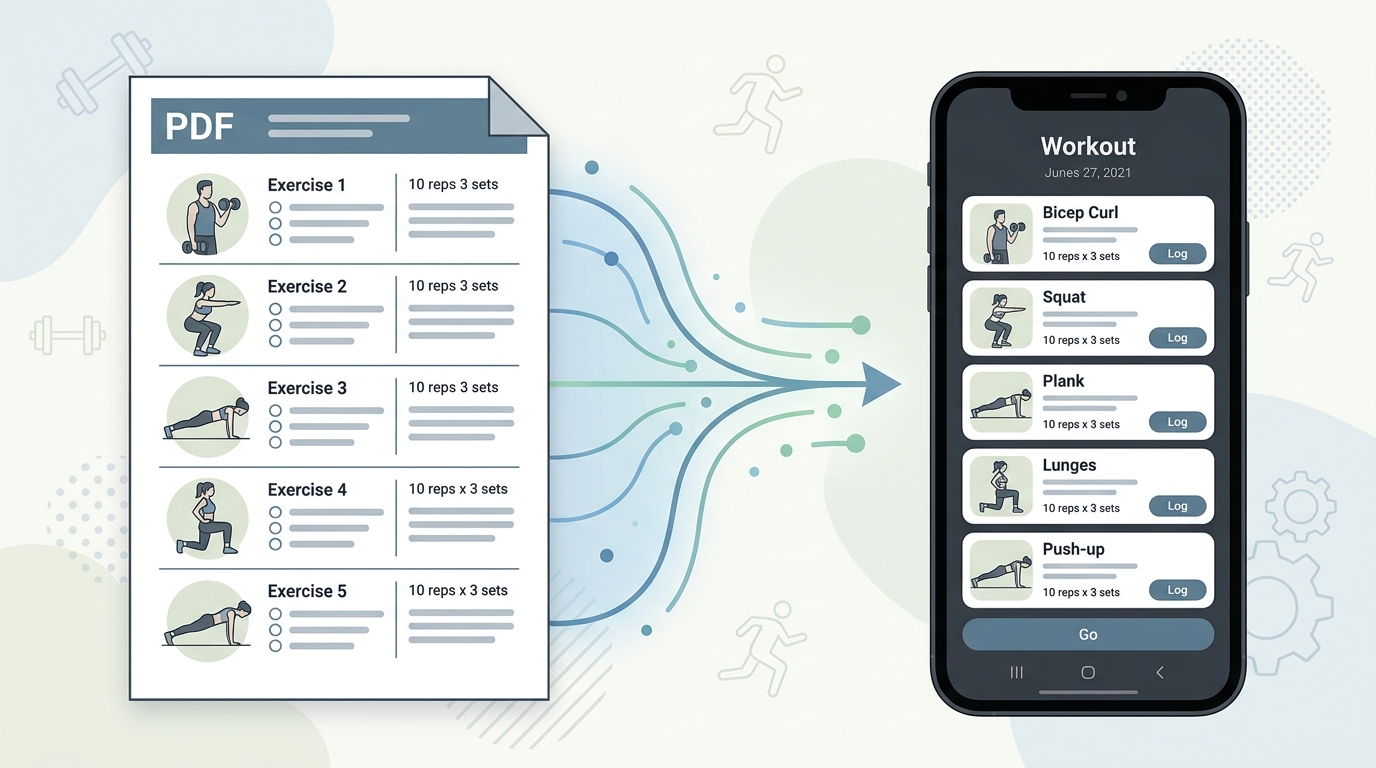
Your coach's PDF is not a training tool. Learn how to convert any workout plan PDF into a structured digital format you can log, track, and follow mid-session.
Read more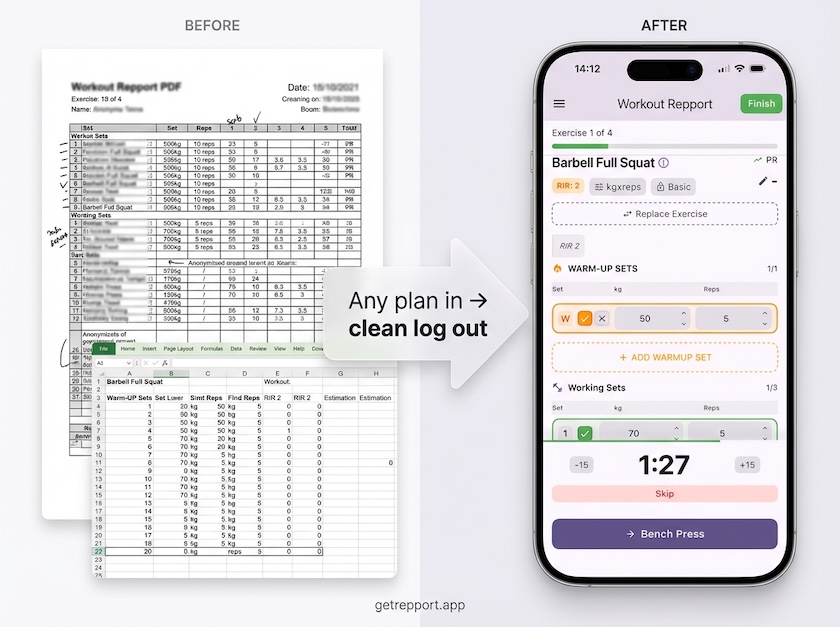
Stop training from a messy spreadsheet. Import your Excel or Google Sheets workout plan into Repport and log your sets with a mobile-first interface.
Read moreUpload your plan and get a tappable workout in minutes. Join the future of coaching execution.