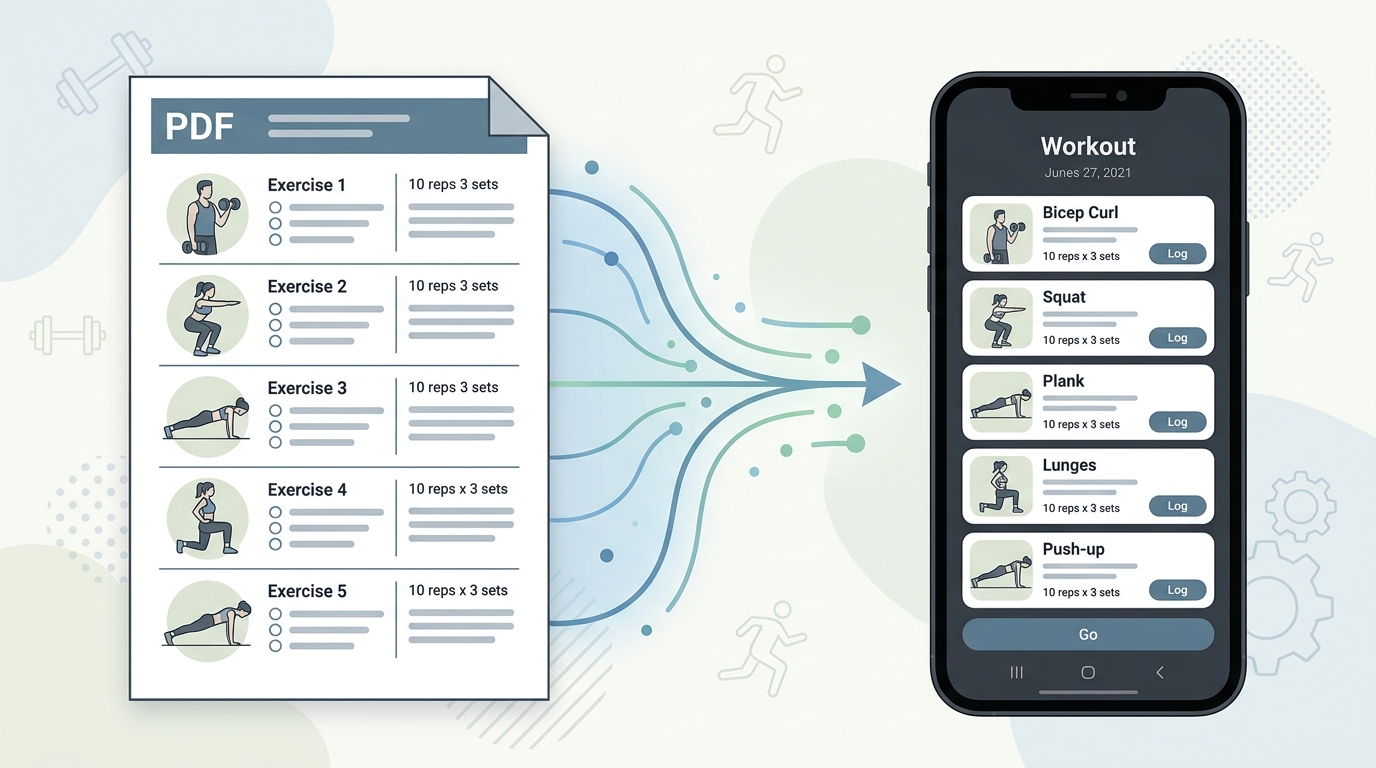
How to Convert a Workout Plan PDF Into a Format You Can Actually Use
Your coach's PDF is not a training tool. Learn how to convert any workout plan PDF into a structured digital format you can log, track, and follow mid-session.
Read moreGot a coach PDF workout plan? See what an app needs to handle it well, and how Repport turns the file into a loggable session in seconds.
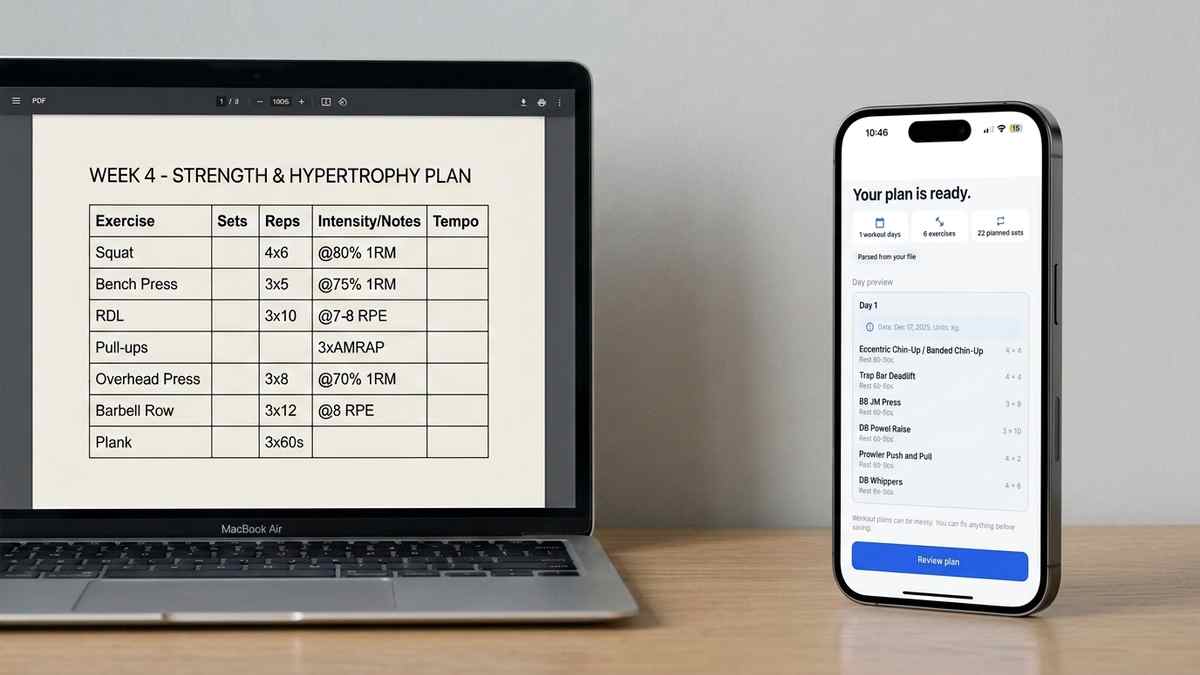
Your coach sent a PDF. It has your training days, your exercises, your sets and reps, maybe a percentage or an RPE target next to each one. Now you need an app that can actually run that plan at the gym, and most fitness apps were not built for this. They were built for someone starting from scratch, picking exercises from a library, and building a routine inside the app itself.
That mismatch is why “coach PDF workout plan app” is a harder search than it sounds. You are not looking for a workout builder. You are looking for something that reads a document someone else wrote and turns it into a session you can log from. This piece covers what to check for before picking an app, and how Repport specifically handles a coach’s PDF from upload to first set logged.
A generic app template assumes you are choosing exercises fresh: pick from a library, set your own sets and reps, save it as a routine. A coach’s PDF is the opposite. The program already exists, fully specified, written by someone else, in their own notation. The app’s job is not to help you build a workout. It is to read one that is already finished.
This distinction matters because coach PDFs carry details a template can’t anticipate. Exercise names that aren’t in a standard library (“banded chin-up,” “Powel raise”). Load prescriptions mixed across formats in the same document (some exercises by percentage, some by RPE, some by a flat weight). Structural choices like supersets, AMRAP finishers, or a deload week that doesn’t follow the same pattern as the rest of the block.
A template-based app forces all of this into its own shape. You end up approximating your coach’s program rather than running it as written. That’s the gap a document-reading import closes: the app adapts to the file, not the other way around.
Four things determine whether an app will actually work for a coach-written plan, and it’s worth checking each before you commit.
Does it read PDFs directly, or does it need you to retype everything? Some apps advertise “import” but only mean CSV templates you fill in yourself. Look for genuine document upload, PDF specifically, not a spreadsheet you have to build first.
Does it preserve your coach’s notation? RPE, percentage-based loading, and tempo prescriptions should map to fields you can actually log against, not get flattened into a generic “weight x reps” box that loses the intent behind the number.
Does it handle exercise names that aren’t in a standard library? Coaches write exercise names their own way. An app that only recognizes its own preset exercise list will either reject unfamiliar names or mangle them.
Can you review and correct before your first session? No parser is perfect on every document. A review step where you check the imported sessions against the original PDF, and fix anything off in one tap, matters more than raw parsing accuracy.
Repport reads the PDF your coach sent directly. No conversion step, no retyping into a spreadsheet first. You upload the file, and Repport identifies training days, exercises, sets, reps, and load prescriptions from the document’s structure.
Take a realistic example: a coach PDF where Monday’s session reads “Back Squat 4x6 @80%, RDL 3x10 @8 RPE, Leg Press 3x12.” Three exercises, three different notation styles in one line. Repport parses each prescription into its own field: the back squat as 4 sets of 6 reps at 80% of training max (roughly 100kg / 220lb off a 125kg / 275lb max), the RDL as 3 sets of 10 at an RPE 8 target, the leg press as a straight 3x12. Nothing gets normalized into a single format that loses what your coach actually specified.
Before your first session, you see a preview: every exercise, every prescription, mapped from the source document. If the parser misread a note, for example an exercise name it hasn’t seen before, the fix is a one-tap edit, not a re-entry of the whole session. This is also where you’d notice if a PDF mixed training content with other material, like a nutrition page or program overview, since you can choose exactly which sessions to keep.
Once imported, the session behaves like any other Repport workout: tappable sets, a rest timer that starts automatically, and your previous numbers on the same exercise visible in one tap. When your coach sends the next block, you upload the new PDF and your history carries forward. Nothing resets.
No. Most fitness apps are built for creating routines inside their own interface, using their exercise library, not for reading an external document. Only apps with a document-parsing import feature can take a PDF and convert it into a structured workout automatically. Check for this before assuming your coach’s file will just work.
Repport is built to handle the notation coaches actually use, including RPE, percentage-based loading, tempo prescriptions, and common lift abbreviations like DL, BP, and OHP. You review the parsed result before your first session, so anything ambiguous is a one-tap fix rather than a full re-entry.
Yes, and this is the main gap with template-based apps. If the app forces your program into a preset routine format, exercise order, superset groupings, and week-to-week variation from your coach get flattened or lost. An import-based app preserves the structure your coach actually wrote instead of approximating it.

If you want the conversion methods compared in more depth, including scanned PDFs and non-standard coaching notation, see how to convert a workout plan PDF. For the broader handoff problem across every format a coach might send, from spreadsheets to text messages, see getting a coach’s plan into an app. If your coach sends programs as spreadsheets instead of PDFs, the Excel and CSV import guide covers that path directly.
No. Most fitness apps are built for creating routines inside their own interface, using their exercise library, not for reading an external document. Only apps with a document-parsing import feature can take a PDF and convert it into a structured workout automatically. Check for this before assuming your coach's file will just work.
Repport is built to handle the notation coaches actually use, including RPE, percentage-based loading, tempo prescriptions, and common lift abbreviations like DL, BP, and OHP. You review the parsed result before your first session, so anything ambiguous is a one-tap fix rather than a full re-entry.
Yes, and this is the main gap with template-based apps. If the app forces your program into a preset routine format, exercise order, superset groupings, and week-to-week variation from your coach get flattened or lost. An import-based app preserves the structure your coach actually wrote instead of approximating it.
Keep reading
Your coach's PDF is not a training tool. Learn how to convert any workout plan PDF into a structured digital format you can log, track, and follow mid-session.
Read more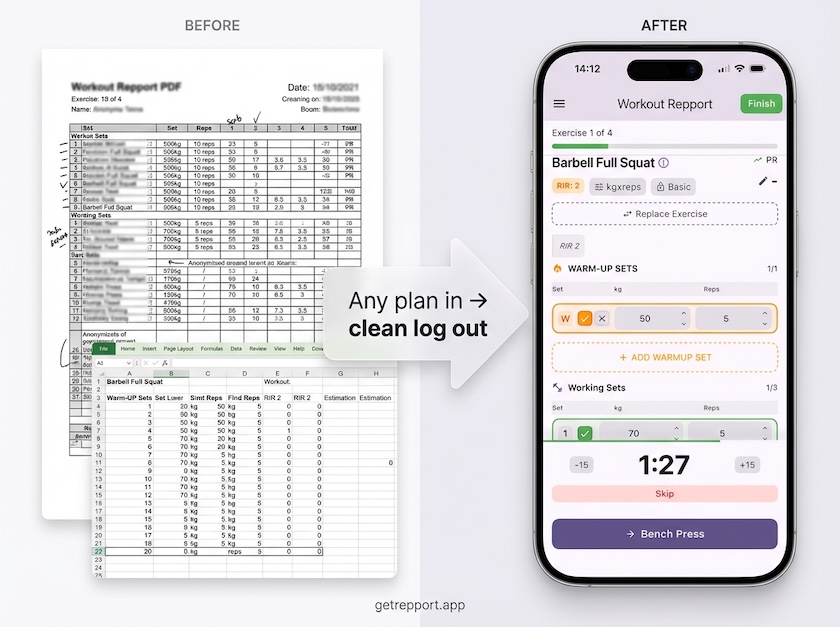
Stop training from a messy spreadsheet. Import your Excel or Google Sheets workout plan into Repport and log your sets with a mobile-first interface.
Read more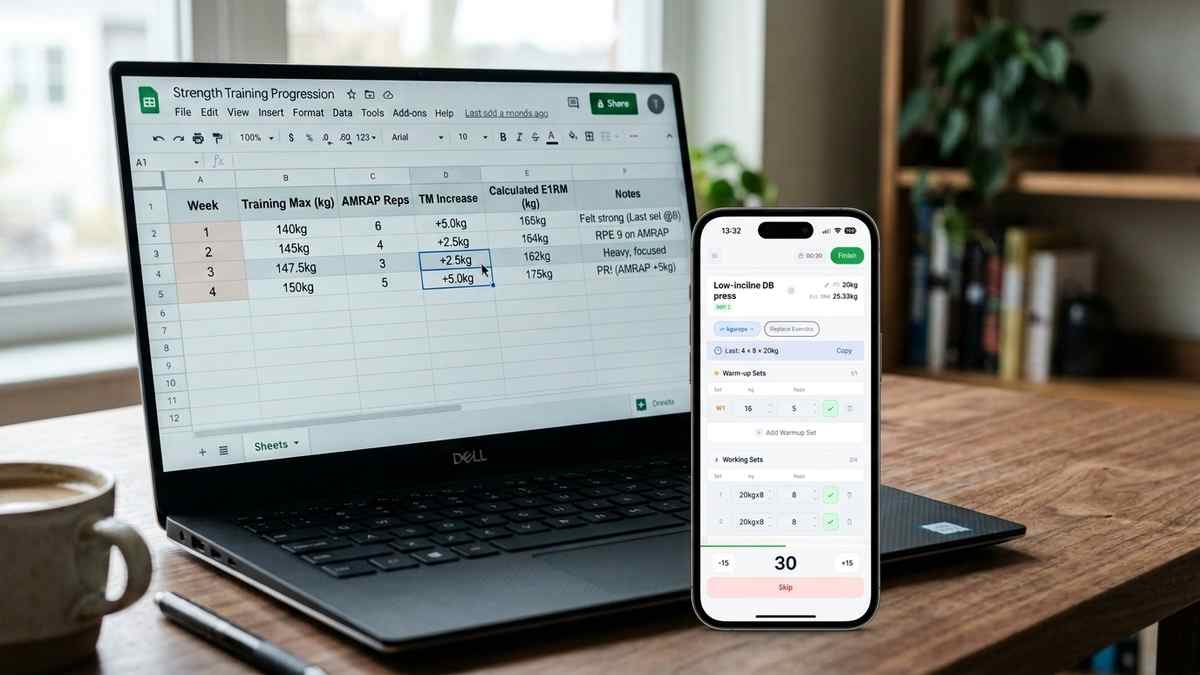
How nSuns 5/3/1 LP differs from standard 5/3/1, its T1/T2 structure, weekly training max progression, and how to track a cycle in an app.
Read moreUpload your plan and get a tappable workout in minutes. Join the future of coaching execution.