Coach PDF Workout Plan App: How to Track It Without Retyping
Got a coach PDF workout plan? See what an app needs to handle it well, and how Repport turns the file into a loggable session in seconds.
Read moreYour coach sent a PDF. Your gym session is in an hour. Here's how to get a coach-written workout plan into a training app in minutes, no manual entry required.
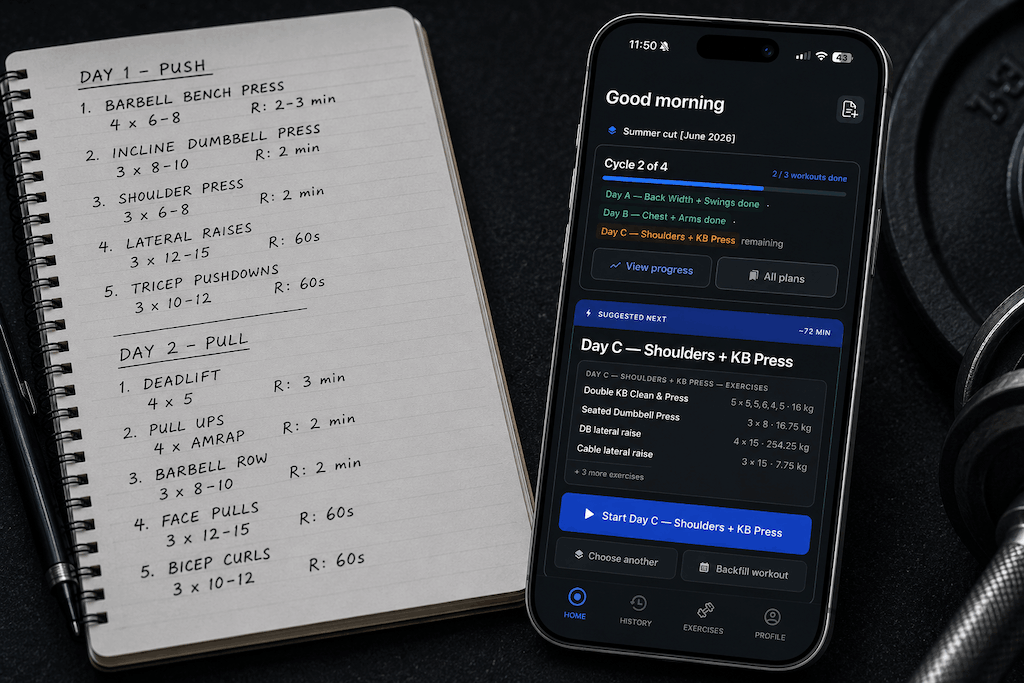
Your coach spent hours writing a program. You received it as a PDF, a spreadsheet, or a link to a shared document. Now you need to actually train from it, but the file is not a training tool.
This is the handoff problem. Coaches programme in software built for planning: Word, Excel, Google Docs, or dedicated coaching platforms. Those tools are excellent for structuring a 12-week block. They are not built to be used mid-set, between a squat and a Romanian deadlift, with chalk on your hands and 60 seconds on the clock. Getting your coach’s workout plan into an app closes that gap.
The format your coach sends is optimised for readability at a desk, not usability in a gym. A well-laid-out PDF looks clean on a laptop screen and becomes a frustrating zoom-and-scroll experience on a phone between sets. A spreadsheet with colour-coded blocks and conditional formatting is genuinely impressive as a planning artefact and completely impractical as a logging interface.
The deeper problem is that these formats are static. A PDF encodes your program as a visual layout (positioned text, columns, tables) with no underlying data structure that a training app can work with. The document knows how to display information. It does not know how to track that you completed set three of Romanian deadlifts at 82.5kg, log it alongside last week’s 80kg, or alert you that your rest timer just expired.
Notation is a secondary frustration that compounds the first. Coaches do not use a universal format for prescribing sets and reps. One writes “4×6 @ 80%”. Another writes “4 sets, 6 reps, 80% 1RM”. A third prescribes by feel: “4×6 @8 RPE”. A fourth mixes both: “3×5 @8, last set AMRAP.” These are compatible prescriptions expressed in incompatible syntax. Typing them into an app manually means interpreting and re-encoding notation that your coach already wrote, introducing both friction and error.
Manual entry means opening a training app and typing each exercise, its sets, reps, and load prescription, one field at a time. For a single session this is manageable. For a 12-week block with four training days, 6–8 exercises per session, and variable rep schemes across mesocycles, manual entry takes 30–60 minutes and produces transcription errors at predictable points: exercises with unusual names, cells that combine sets and reps into a single value, and notes your coach added in column margins.
Template matching works if a training app you already use has a built-in library of program templates that resembles your coach’s structure. The limitation is obvious: your coach’s program is not a template. The exercise selection, loading scheme, and progression model are specific to you. Template matching produces something that looks similar to your program but is not your program.
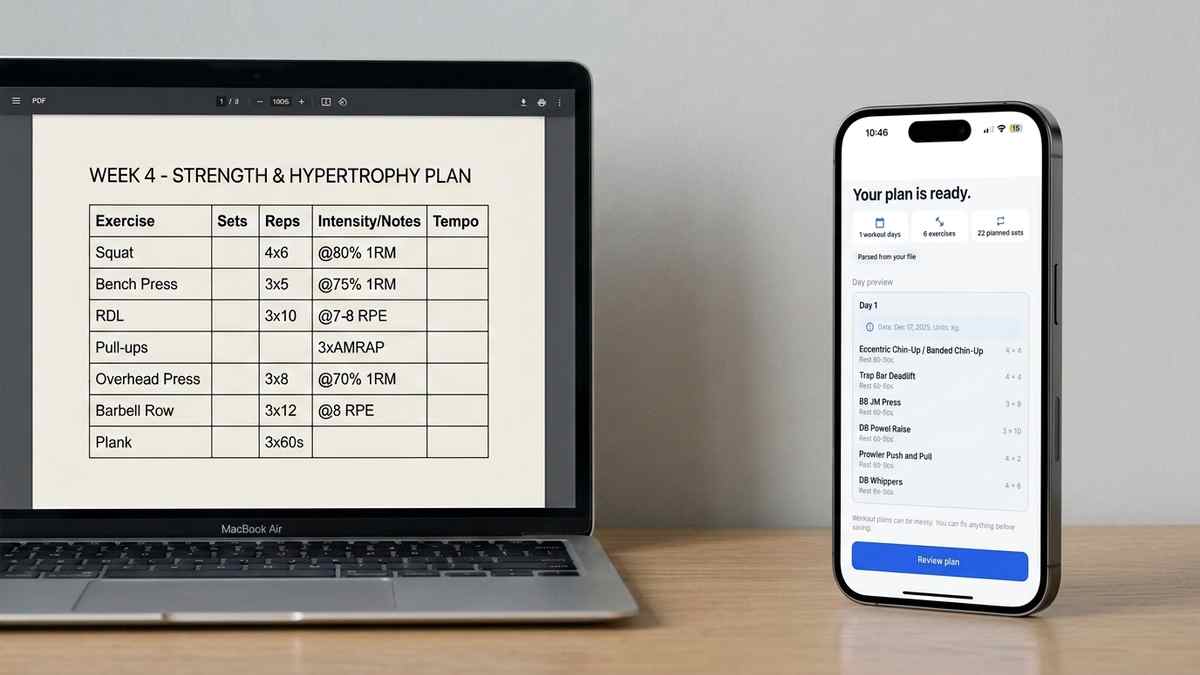
AI import via Repport reads the source file your coach sent (PDF, Excel, CSV, plain text, Markdown, or a photo of a printed plan) and extracts the session structure automatically. The output is not a text dump or a rough approximation; it is a structured, tappable workout with each exercise as a loggable element, your coach’s set and rep prescriptions mapped to the correct fields, and the session ready to start immediately. Upload takes under a minute. The review step before your first session takes another two.
The import handles the variation coaches actually produce. Tabular programming in Excel with named columns imports cleanly because the structure is explicit. PDF programs from coaching software, which often render as formatted tables inside a PDF, parse accurately because the table boundaries signal how to interpret each value. Free-form text programs (a plain document with exercises listed as paragraphs) import by pattern recognition: exercise names followed by set and rep prescriptions are identified and extracted even without a formal table structure.
Photo import covers handwritten plans, printed programs, and whiteboards. If your coach annotates a printed PDF by hand before scanning it, Repport reads both the original text and the handwritten additions. Clarity of handwriting affects accuracy, but standard coach abbreviations (squat, DL, BP, OHP, RDL) are recognised across most handwriting styles.
After extraction, you see a preview of the imported sessions. Each exercise shows the coach’s prescription alongside Repport’s interpretation of it. If the parser misread a notation, the correction takes one tap. This review step is the only manual interaction in the import process, and it rarely requires changes on text-based documents.
Once your coach’s program exists as structured data in Repport rather than as positioned text in a static document, the training session changes in character.
Previous session data appears in context. When you open the Romanian deadlift on today’s session, last week’s working sets are visible in one tap: weight, reps, and whether you hit the prescribed targets. You do not need to cross-reference a separate log or remember what you did. The context is embedded in the session.
Rest timers run inside the app. When you log a completed set, the timer starts automatically. No separate timer app, no switching between apps while trying to maintain focus. Coach-prescribed rest periods appear as the timer default if your program includes them.
Progression is tracked without additional work. After a training block, Repport shows your volume by week, PR history per exercise, and set-by-set load trends over the program. This information does not exist in your coach’s file. It is generated from the gap between what was prescribed and what you actually logged.
When your coach sends the next block, you upload the new file. Previous sessions stay in your history. There is no reset.
Most files import without preparation. A few adjustments consistently improve accuracy for documents that fall outside standard formats.
If your coach uses merged cells in Excel (a single cell that spans “Sets + Reps + Load” rather than three separate columns), splitting those cells before upload makes the parse more accurate. Merged cells are a formatting choice that looks clean in a spreadsheet and creates ambiguity for an importer reading column values.
PDFs that embed fonts correctly import more accurately than PDFs where text has been converted to outlines for design purposes. Text-outline PDFs are essentially images of text; they require the photo import path rather than the text-extraction path. If your coach’s PDF looks like a design document with custom typography, photo import will handle it, but accuracy is slightly lower than for standard text-based PDFs.
Handwritten plans benefit from a clean scan rather than a photo taken in low light. Dark ink on white paper, taken straight-on with adequate lighting, extracts well. Angled shots of spiral-bound notebooks or plans taped to a wall are workable but introduce more correction at the review step.
If your coach sends PDFs specifically, the PDF conversion workflow covers that format in more depth, including scanned documents and non-standard coaching notation. If you receive programs as spreadsheets, the Excel and CSV import guide applies directly. After a training block, you can export your session history as a structured CSV or XLSX to send back to your coach as a progress log.
Upload your PDF, spreadsheet, or photo to Repport and get a tappable, loggable workout in seconds. Available now on the App Store.
Coaches design programs in tools built for programming (Word, Excel, Google Docs), not for active training. The handoff from their screen to your gym floor is where the friction starts.
Moving a coach's program into an app means converting static text into structured, interactive training data: exercises you can log, history you can reference, and sessions that adapt as you progress.
Repport reads PDF, Excel (.xlsx), CSV, plain text, Markdown, and photos of printed or handwritten plans. Whatever format your coach uses, you can likely upload it directly without converting it first.
Repport is built to handle the variation coaches actually use: percentage-based, RPE, tempo notations, and plain-language descriptions. You can review and edit the parsed result before your session starts, so any edge cases are easy to correct.
No. Each import adds new sessions to your log without touching previous data. When your coach sends the next training block, you upload the new file and your history from the previous block is preserved.
Yes. Export the Google Doc as a PDF or the Google Sheet as .xlsx, then upload the file. Repport maps the structure automatically. The export step takes about ten seconds.
Repport extracts only the training data and skips non-training content like program overviews, nutrition guidelines, or habit tracking sections. After the import preview, you can select exactly which sessions to include.
Keep reading
Got a coach PDF workout plan? See what an app needs to handle it well, and how Repport turns the file into a loggable session in seconds.
Read more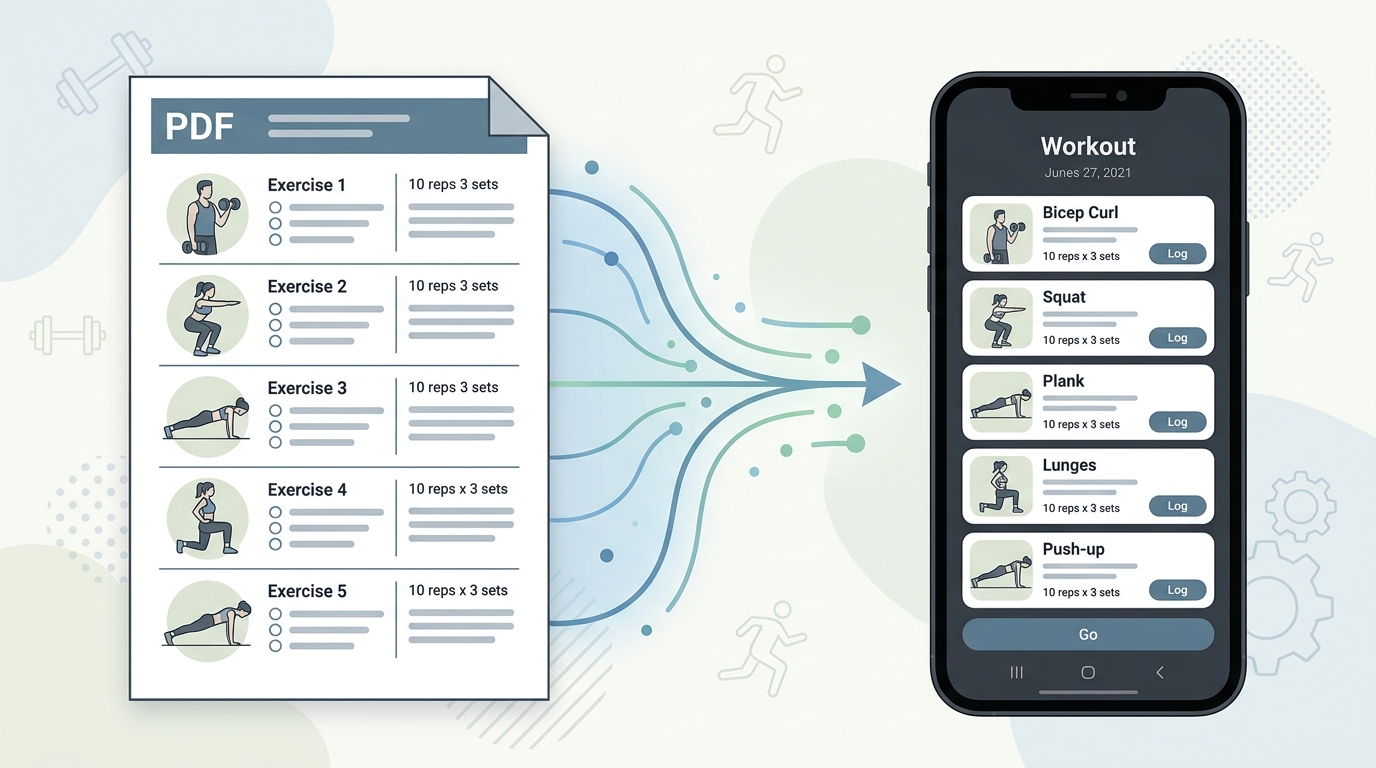
Your coach's PDF is not a training tool. Learn how to convert any workout plan PDF into a structured digital format you can log, track, and follow mid-session.
Read more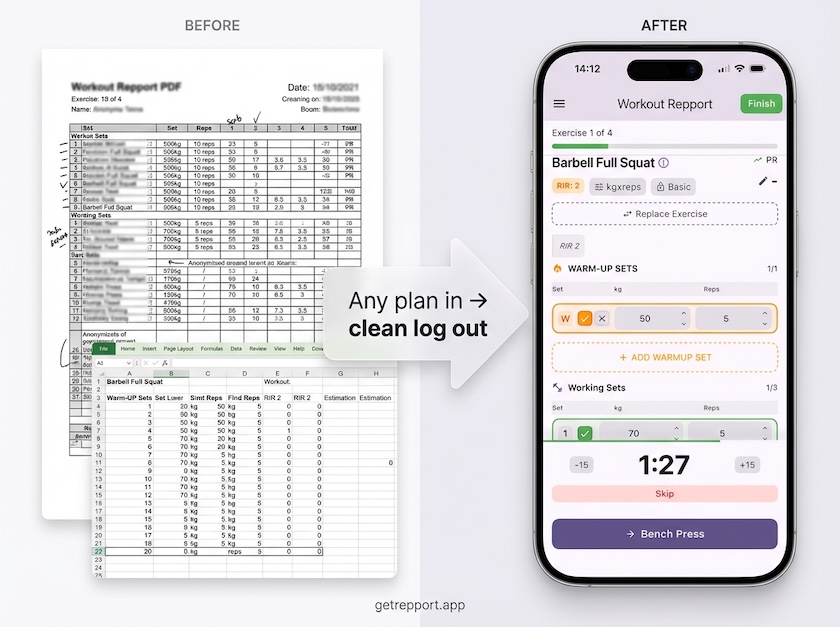
Stop training from a messy spreadsheet. Import your Excel or Google Sheets workout plan into Repport and log your sets with a mobile-first interface.
Read moreUpload your plan and get a tappable workout in minutes. Join the future of coaching execution.